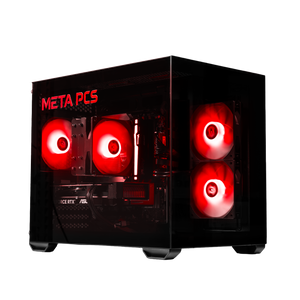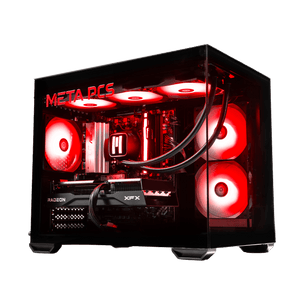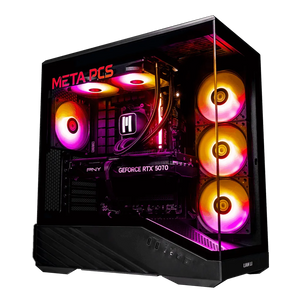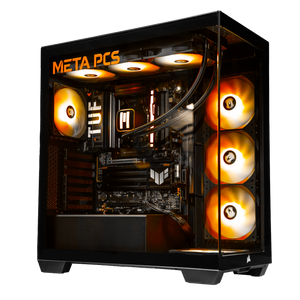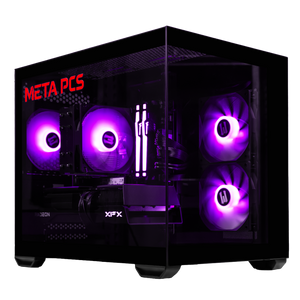





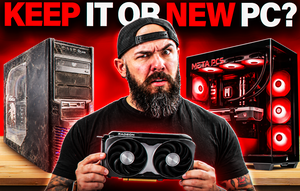
Whether to upgrade or replace your gaming PC depends on the platform. If you're on AM5, AM4 with a Ryzen 5000 chip, or Intel 12th to 14th gen, a graphics card upgrade is usually the better buy in 2026. If an upgrade means a new CPU, motherboard and RAM at once, replacing the PC makes more sense.
If you already own a gaming PC and you're wondering whether it has another few years in it, memory prices changed the answer this year. Moving to a new platform means buying DDR5, and Tom's Hardware's RAM price index had the cheapest 32GB DDR5-6000 kit at $449 on October 19, 2026. That one part changes the math on a lot of upgrades, and it's why keeping your current platform and swapping the graphics card wins more often than it used to. Our RAMageddon breakdown covers how memory prices got here. We get this question from owners of older builds a lot, and the right call depends far more on the socket than on how old the PC is.
Start With Your Platform
Your CPU socket decides how far an upgrade can go. Find yours in Task Manager under Performance and CPU, which shows the exact processor name, and then match it to the table.
| What you have now | What we'd do | Why |
|---|---|---|
| AM5 (Ryzen 7000 or 9000) | Upgrade whichever part is holding you back | AM5 is supported through 2029, so a newer CPU can drop in later |
| AM4 with Ryzen 5000 | Keep it and upgrade the graphics card | The CPU is still capable, and moving to DDR5 costs $409 or more for the RAM alone |
| AM4 with Ryzen 1000 to 3000 | Check for a Ryzen 5000 BIOS update, or replace | A Ryzen 5000 chip is the last stop on AM4, and Ryzen 1000 isn't on the Windows 11 list |
| Intel 12th to 14th gen | Keep it and upgrade the graphics card | No new desktop gaming CPUs are coming to the socket, but these chips still game well |
| Intel 8th to 11th gen | Graphics card only if the CPU has 6 or more cores, otherwise replace | The socket is done, and older 4-core chips hold back newer cards |
| Intel 7th gen or older | Replace | Mostly missing from Microsoft's Windows 11 processor list |
One note for Intel 13th and 14th gen owners. Intel released BIOS microcode updates for an instability problem on those chips, so update your motherboard BIOS before you blame a new graphics card for crashes.
When Upgrading Makes Sense
The best upgrade candidate is a PC with a decent CPU and an aging graphics card. A Ryzen 7 5700X or a Core i5-12600K with an RTX 2060 or GTX 1080 is a good example. The CPU still has plenty left, the card is the bottleneck, and one part fixes it. If your games run out of video memory at 1440p, which our VRAM guide covers, a card with 16GB is the upgrade that matters most.
This is roughly what a graphics card upgrade costs right now, from Tom's Hardware's GPU price tracker on October 19, 2026.
| Graphics card | Lowest US price, October 19, 2026 | Where it fits |
|---|---|---|
| RX 9060 XT 16GB | $519 | 1080p high and entry 1440p |
| RX 9070 | $699 | 1440p high |
| RX 9070 XT | $829 | 1440p high refresh |
| RTX 5070 | $849 | 1440p with DLSS and frame generation |
| RTX 5070 Ti | $1,189 | 1440p max and entry 4K |
Prices have moved a lot this year, so check the tracker before you buy.
Check These Before You Buy the Card
Power comes first. A new card can need more wattage than your current power supply gives, and many RTX 50 cards use the 12V-2x6 connector (formerly 12VHPWR), usually with an adapter in the box for older supplies. Our power supply guide lists the official wattage for current cards.
Then check the board. The RTX 5060 and 5060 Ti use eight PCIe lanes, so on an older PCIe 3.0 motherboard they give up some performance, and the 8GB versions lose more once they run out of video memory. Resizable BAR matters too, especially for Intel Arc cards, and our free FPS boost guide covers turning it on. Last, measure the case. Many current cards are long and thick, and a case from five years ago may not fit one.
When Replacing Makes More Sense
Replacing wins once the upgrade list grows past the graphics card. If you need a new CPU, and that CPU needs a new motherboard, and that motherboard needs DDR5, you're three parts into a new PC already. Add a power supply for the new card and possibly a case, and the only things carrying over are your storage and your peripherals.
Memory is where this hits hardest in 2026. Tom's price index shows how big the gap between DDR4 and DDR5 is right now.
| Memory | Lowest US price, October 19, 2026 | What it fits |
|---|---|---|
| 32GB DDR4-3200 | $199 | AM4 and Intel 12th to 14th gen DDR4 boards |
| 32GB DDR5-5600 | $409 | AM5, Intel DDR5 boards from 12th gen on |
| 32GB DDR5-6000 (2x16GB) | $449 | AM5, the speed we use in our builds |
If you're already on DDR4, staying there and upgrading the graphics card saves you the cost of a new kit. Our RAM guide covers how much memory you need either way.
There are a few other signs it's time. Windows is one. Microsoft's Windows 11 requirements call for TPM 2.0 and a processor on its supported list, which broadly means Intel 8th gen or newer and Ryzen 2000 or newer. Our Windows 10 end of support guide covers what to do if your PC misses that list. Games are another. If your CPU sits near 100% in the games you play while the graphics card idles well below it, a new card won't help much. Our guide to checking if your PC can run a game walks through comparing your parts to a game's spec sheet.
Where AM4 and Intel Stand Right Now
AM4 owners have one last CPU upgrade path, the Ryzen 5000 series. AMD discontinued the 5700X3D, but relaunched the 5800X3D as a 10th Anniversary Edition at $349 in June. It sold out fast at launch, and is currently available near MSRP. On Intel, the LGA 1700 socket for 12th to 14th gen won't see new desktop gaming chips, and Intel's next desktop line, Nova Lake, moves to a new socket, with Intel pointing to the end of 2026 and reports putting most desktop chips in 2027. Neither of those is a reason to replace a PC that's working, but they're a reason not to sink money into a new motherboard on those platforms.
The Middle Option: Keep Your Graphics Card
Some people have the opposite problem. They bought a good graphics card in the last couple of years, and everything around it is old. For that, the fix is a new platform that leaves the card out: a current CPU and motherboard (our 270K Plus vs 9800X3D comparison covers the two we'd pick), 32GB of DDR5 and a power supply with a native 12V-2x6 cable, with your existing card moved across. That keeps the most expensive part you own and replaces everything holding it back.
If It's Time for a New PC
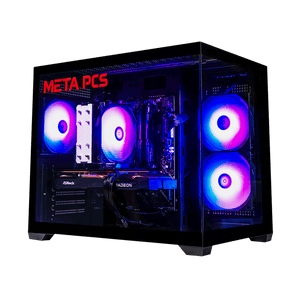
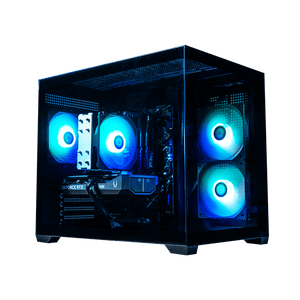
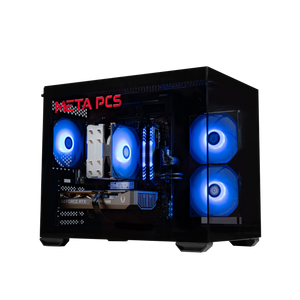
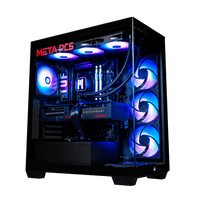
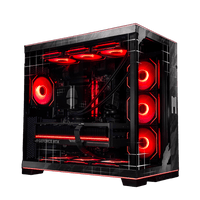
If the table pointed you to replacing, start with your resolution. For 1080p and entry 1440p, the SHADEv3 ($1,799) is built on AM5 around a Ryzen 5 9600X and a 16GB RX 9060 XT, so its next CPU can drop straight into the same board. For 1440p high refresh, the NIGHTWALKER v2 ($3,099) moves up to a Ryzen 7 7800X3D, an RX 9070 XT and 32GB of DDR5. We checked both prices on October 21, 2026, and the product pages show what they cost today.
Your old PC still has value. Plenty of people keep it as a second machine for a family member, sell it to cover part of the new one, or pull the SSDs out and reuse them as extra game storage.
FAQ
Should I upgrade my GPU or buy a new PC?
Upgrade the GPU if your CPU is a Ryzen 5000, Intel 12th gen or newer, or anything on AM5, and your power supply can handle the new card. Buy a new PC if upgrading would also mean a new CPU, motherboard and RAM, since at that point you're paying for most of a new build anyway.
Is it worth upgrading an AM4 PC in 2026?
For most AM4 owners with a Ryzen 5000 chip, a graphics card upgrade is the better buy, since moving to AM5 also means buying DDR5 at today's prices. Ryzen 1000 to 3000 owners can check for a Ryzen 5000 BIOS update first. AM4 won't get new CPUs, so treat it as a final upgrade.
How old is too old to upgrade a gaming PC?
Age matters less than the platform. A good rule is that Intel 7th gen or older and Ryzen 1000 systems are better replaced, since they're mostly missing from Microsoft's Windows 11 processor list and their CPUs hold back current graphics cards.
Will a new graphics card work in my old PC?
Usually, as long as the power supply has enough wattage and the right connectors, the card fits in the case, and the motherboard has a PCIe x16 slot. Older PCIe 3.0 boards work with current cards, though cards that use eight lanes lose some performance on them.
Can I reuse parts from my old PC in a new one?
Storage drives, the case and the power supply can often carry over if they're in good shape and the power supply is big enough for the new card. DDR4 RAM won't work on AM5 or other DDR5 boards, and older CPU coolers may need a new mounting kit.
Ready to Build
Every META PCs build on our ready-to-ship page ships tested and on lifetime US-based support, and we ship nationwide from our Arizona shop. If you'd rather choose every part yourself, the custom PC builder lets you spec the whole machine, and we build and test it here.