




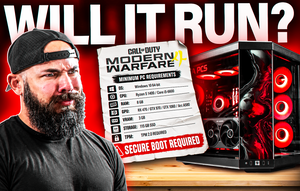
To check if your PC can run a game, clear the pass-or-fail lines first: ray tracing hardware, TPM 2.0 with Secure Boot, and an SSD with enough free space. No setting gets you past those. Then compare your CPU, graphics card, VRAM and RAM to the minimum and recommended specs, and check each tier's resolution and frame rate target.
Most people compare their graphics card against the one on the spec sheet and stop there. That only covers half of what a spec sheet asks. This fall's big releases each added a requirement that no amount of horsepower gets you around. Gears of War: E-Day won't launch without a ray tracing capable graphics card, as PC Gamer reported, and it wants 115GB on an SSD. Modern Warfare 4 enforces TPM 2.0 and Secure Boot at launch. Phantom Blade Zero's published frame rates both assume upscaling is turned on. A spec-matching tool can tell you your card outranks the minimum and still miss every one of those, so here's how to check the whole list yourself.
Find Your PC's Specs in Two Minutes
Everything you need is already in Windows. Tom's Hardware's spec-checking guide walks through the Settings and System Information routes, and Task Manager covers the rest. Here's where each number lives on Windows 10 and 11.
| What you need | Where to find it | What to look for |
|---|---|---|
| CPU and RAM | Settings, System, About | Processor name and installed RAM |
| Graphics card and VRAM | Task Manager (Ctrl+Shift+Esc), Performance, GPU | Card name top right, Dedicated GPU memory below the graphs |
| Drive type | Task Manager, Performance, Disk | SSD or HDD shown under the drive name |
| Free space | File Explorer, This PC | Free space under each drive |
| Boot mode | Search msinfo32, System Summary | BIOS Mode: UEFI |
| Secure Boot | Search msinfo32, System Summary | Secure Boot State: On |
| TPM version | Search tpm.msc | Specification Version: 2.0 |
Dedicated GPU memory is your VRAM, and it's the number people most often get wrong. Shared GPU memory sits right next to it and is borrowed system RAM, which is far slower, so it doesn't count toward the VRAM a spec sheet asks for. If you have two GPUs listed, the one with the larger dedicated figure is your graphics card. The other is usually the graphics built into your CPU.
Check the Pass-or-Fail Requirements First
These are the lines on a spec sheet that don't care how fast your PC is. Fail one and lowering settings won't help, so it's worth clearing them before you compare anything else.
| Requirement | Recent example | If you don't have it |
|---|---|---|
| Ray tracing capable graphics card | Gears of War: E-Day | The game won't run, so it means a new card |
| TPM 2.0 and Secure Boot | Modern Warfare 4, Battlefield 6 | Usually a BIOS setting you can switch on |
| SSD with enough free space | Gears of War: E-Day, Phantom Blade Zero | Free up space or add a drive |
Ray Tracing Hardware
Our Gears of War: E-Day requirements breakdown covers why its minimum list mixes an RTX 2060 from 2019 with an RTX 5050. What ties them together is ray tracing hardware. GeForce RTX cards, Radeon RX 6000 cards and newer, and Intel Arc cards all have it. No GTX card has it, the 16 series included, and neither does the RX 5000 series or anything older from AMD, so those cards can't run the game no matter how well they handle everything else.
TPM 2.0 and Secure Boot
Recent Call of Duty titles and Battlefield 6 tie their anti-cheat to these, and our Modern Warfare 4 requirements article notes there's no workaround at launch. Microsoft's Windows 11 requirements call for TPM 2.0 and a Secure Boot capable PC, so most Windows 11 machines already pass the TPM check. Secure Boot is the one we see switched off most often. Turning it on is a BIOS setting, but it only works if Windows was installed in UEFI mode, so check that msinfo32 shows BIOS Mode: UEFI first. EA's own Battlefield 6 guidance points players to the same screen.
An SSD With Room to Spare
Gears of War: E-Day asks for 115GB, and both it and Phantom Blade Zero list an SSD as required. Treat that line as pass-or-fail. Our Gears breakdown rules out a hard drive entirely, and even a game that starts from one tends to stutter and load slowly as it streams in new areas. Our storage guide covers sizing, and keeping 10 to 15 percent of the drive free keeps install and write speeds from dropping off.
Read Minimum and Recommended the Right Way
A minimum spec is the slowest PC the developer expects to run the game at all, often at 1080p with low settings and around 30 frames per second. Recommended is the hardware for a more comfortable target. The parts list only means something next to that target line, and that's where a lot of buyers get caught out. Our Phantom Blade Zero requirements article digs into one spec sheet where both the 1080p 30 FPS minimum and the 1440p 60 FPS recommended targets assume upscaling is on. Matching the recommended card there gets you 60 FPS at an upscaled 1440p, which is a lower bar than native.
Compare Graphics Cards With a Performance Ranking
Model numbers don't line up across generations or brands, so check a ranking instead. Tom's Hardware's GPU benchmarks hierarchy lists current and older cards by measured performance. If your card sits at or above the listed one, you're covered on raw speed. Then check VRAM separately. Our VRAM guide keeps 8GB to 1080p esports and older games and points 1440p at 16GB, and a fast card with too little VRAM still stutters at high texture settings.
CPU and RAM
For the CPU, look at core count and generation alongside the brand tier. A Core i7 from 2017 can sit below a current Ryzen 5. Recommended tiers on 2026 spec sheets usually land at 16GB, which covers the game itself. Add Windows, Discord and a browser on top and that's tight, which is why our RAM guide treats 32GB as the floor for a new gaming PC.
When You're Close but Not Quite There
Landing between minimum and recommended usually means the game runs fine with a few settings dialed back. Turn on DLSS, FSR or XeSS, drop shadows and volumetrics a notch, and use the tweaks in our free FPS boost settings guide before you spend anything.
Missing a pass-or-fail requirement is different. Secure Boot and TPM are often free to fix in the BIOS. Storage means freeing up space or adding a drive. A graphics card without ray tracing hardware can't be fixed with a setting, and that's usually the point where an upgrade or a new PC makes more sense than chasing workarounds.
Our Game Requirements Guides
Each of these breaks down one game's official specs and names the META PCs build that runs it.
- Gears of War: E-Day: ray tracing hardware required, 115GB on an SSD.
- Call of Duty: Modern Warfare 4: TPM 2.0 and Secure Boot enforced at launch.
- Phantom Blade Zero: both performance targets assume upscaling, SSD required.
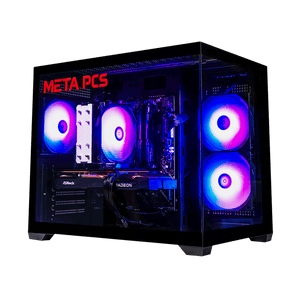
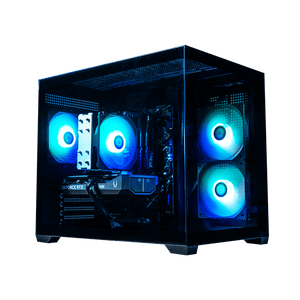
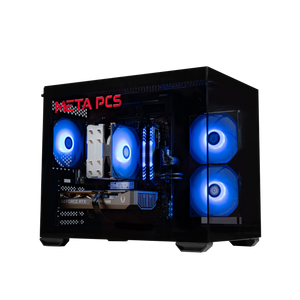
If your current PC fails one of the hard requirements, the entry-level CYCLONE is the build our Gears article names for the minimum tier. Its RTX 5050 sits on the game's own minimum list, and its 16GB of RAM covers that tier.
FAQ
How do I know if my PC can run a game?
Start with the pass-or-fail lines on the spec sheet: ray tracing hardware, TPM 2.0 and Secure Boot, an SSD and free space. Then compare your CPU, graphics card, VRAM and RAM with the minimum and recommended tiers, using a GPU ranking such as Tom's Hardware's hierarchy, and check what resolution and frame rate each tier targets.
How do I check how much VRAM I have?
Open Task Manager with Ctrl+Shift+Esc, go to Performance and select your GPU. The Dedicated GPU memory figure is your VRAM. Ignore Shared GPU memory, which is borrowed system RAM. If two GPUs are listed, your graphics card is the one with more dedicated memory.
Can I play a game below the minimum requirements?
Sometimes, if you're a little short on CPU or graphics card speed, at the lowest settings with upscaling on, and expect rough frame rates. You can't get around a hard requirement, though. A graphics card without ray tracing hardware won't launch Gears of War: E-Day, and Modern Warfare 4 enforces TPM 2.0 and Secure Boot.
How do I check if TPM 2.0 and Secure Boot are on?
Search for msinfo32 and open System Information. Under System Summary, Secure Boot State should read On. BIOS Mode on the same screen should read UEFI, since Secure Boot can't be switched on without it. For TPM, search for tpm.msc, and the Specification Version line should show 2.0. If Secure Boot or TPM is off, the setting is in your motherboard's BIOS, usually under a security or boot menu. If BIOS Mode reads Legacy, the drive has to be converted to GPT first, which is a good time to contact your PC maker's support.
Are system requirement checker websites accurate?
They're a reasonable first look at CPU, graphics card and RAM, but they compare model numbers and can miss hard requirements like ray tracing hardware, Secure Boot or an SSD. Check those lines on the game's own spec sheet yourself, along with the resolution and frame rate each tier is aiming for.
Ready to Build
Every META PCs build on our ready-to-ship page ships tested and on lifetime US-based support, and we ship nationwide from our Arizona shop. If you'd rather spec a machine around the games you play, the custom PC builder lets you pick every part, and our full guide to building a gaming PC in 2026 covers what to prioritize.