





Match VRAM to your resolution. 8GB still works at 1080p for esports and older games. Everything above that wants more in 2026: modern AAA at 1080p high needs 12GB minimum, 1440p ultra wants 16GB, and 4K starts at 16GB with headroom to 20GB or more if ray tracing and path tracing are on the menu.
That's a real shift from where things stood in 2023 when 8GB was still widely defensible. VRAM sat quietly in the background for years. You'd pick a GPU based on raster performance, ray tracing, and price, and the memory buffer came along for the ride. That changed hard in 2024 and got worse in 2025 as AAA games started shipping textures that regularly push past 8GB at 1440p ultra. The 8GB cards that came with the last two GPU generations started stuttering in games that ran fine on paper. If you're picking a GPU in 2026, VRAM is the second thing you check after raster performance, and for some builds it's the first.
The short answer
Match VRAM to the resolution and settings your library needs. 8GB survives at 1080p esports and older AAA titles. 12GB handles modern AAA at 1080p and light 1440p. 16GB is the sweet spot for 1440p ultra and light 4K. 32GB (the RTX 5090 tier) is overkill for pure gaming but useful if content creation or local AI work is also in the picture.
| VRAM | Best for | Where it struggles |
|---|---|---|
| 8GB | 1080p esports, older AAA, indie, emulation | Modern AAA at 1080p ultra, any 1440p ultra |
| 12GB | 1080p high or ultra, light 1440p, most modern AAA | 4K, heavy ray tracing, path tracing |
| 16GB | 1440p ultra, light 4K, most AAA with RT on | Path tracing at 4K native |
| 32GB | 4K high refresh, path tracing, content, local AI | Nothing gaming-related |
The resolutions in the table are ceilings, not floors. A 16GB card handles 1080p and 1440p and light 4K without any issue. And the "where it struggles" column is about running out of memory buffer specifically, not about GPU horsepower. An 8GB RTX 5060 can be plenty fast for 1440p high on paper, but the VRAM will crash before the shader engine does in a game that pushes textures past 8GB.
What's changed since 2023
In 2023, 8GB was widely defensible for 1080p gaming and 12GB was the 1440p floor most reviewers pointed at. The RTX 3070 (8GB), 3060 Ti (8GB), and RX 6700 XT (12GB) were the mainstream picks, and their memory buffers held up fine for the games that shipped that year.
That started shifting the following year. A wave of AAA releases pushed texture budgets past 8GB at 1440p ultra, and Cyberpunk 2077 Phantom Liberty, Hogwarts Legacy, The Last of Us Part I, and Ratchet & Clank Rift Apart became the documented offenders. All of them dropped 8GB cards into single-digit 1% low frame rates once the VRAM buffer maxed out. Hardware Unboxed built an ongoing coverage beat around this and their comparison videos made it hard to ignore.
2025 pushed the problem down a tier. Higher-resolution textures became more common in mid-tier AAA releases, and 8GB started stuttering at 1080p ultra in several new titles. Frame generation and upscaling (DLSS 4, FSR 4) helped mask this in some cases by rendering internally at a lower resolution, but they don't fix the underlying issue when a game legitimately needs more VRAM than the card has.
Which brings us to now. 8GB cards below the $300 street tier are the last defensible spot for that buffer size, and even there the case is thin unless the buyer sticks to 1080p esports or older titles. Any modern AAA game shipping today assumes 12GB minimum for a smooth 1080p ultra experience. 16GB is what most reviewers point at for 1440p.
8GB: where it still works and where it doesn't
8GB isn't useless. Fortnite in Performance mode, Valorant, CS2, Overwatch 2, Marvel Rivals, League of Legends, and every other current esports title runs great on 8GB at 1080p high refresh. Older AAA games from the 2019 to 2022 window at 1080p high are also fine. Indie titles, emulators, and Steam Deck-tier gaming don't touch VRAM in any meaningful way.
Where 8GB breaks is modern AAA at 1080p ultra with high-res textures enabled, and anything at 1440p ultra. Cyberpunk 2077 with the HD texture pack, Hogwarts Legacy at 1440p, Ratchet & Clank Rift Apart, The Last of Us Part I, Alan Wake 2, Indiana Jones and the Great Circle, and a growing list of new releases will either stutter into single-digit 1% lows or force you to drop textures to medium. Neither is what you paid for. Per the Tom's Hardware GPU price tracker, 8GB cards below $300 are the only spot where the buffer size makes value sense in 2026.
The 8GB cards worth buying in 2026 are the ones priced accordingly. If you're paying $340 or more for a competing 8GB card like the RTX 5060 in a market where a 12GB Intel Arc B580 sits under $310 and the RX 9060 XT 16GB is available for around $469, the buffer size is what's going to bite you first. In a year when a 16GB DDR5 kit alone runs around $200 thanks to the ongoing RAM crunch, every dollar of buffer headroom you can bank into your GPU pays off.
12GB: the modern AAA floor
12GB is where modern AAA at 1080p high and ultra becomes fully comfortable. The buffer covers the high-res texture packs that break 8GB, handles light ray tracing without hitting the memory wall, and gives you enough headroom to run 1440p at high settings in most current games. Cards in this tier include the Intel Arc B580 at around $290 to $310, the RX 9070 GRE mid-tier around $500, and the RTX 5070 at the top of the 12GB range around $600 (see the TechPowerUp GPU database for the full spec breakdown by card).
The one place 12GB starts to feel tight is 4K, and specifically 4K with ray tracing or path tracing enabled. If you're pushing a 4K panel, 12GB will get you there in most titles at high settings with upscaling, but ultra with RT on will pressure the buffer. For a pure 1080p or 1440p build, 12GB is a strong middle-ground pick that gets you out of the 8GB cliff without paying 16GB pricing.
16GB: the sweet spot for 1440p and above
16GB is what most reviewers and most builders will point at for a 2026 gaming build if the budget allows. It's the point where you stop thinking about VRAM as a variable and start thinking about GPU horsepower as the ceiling. 1440p ultra with ray tracing runs comfortably, light 4K is on the menu, and future-proofing extends out to 2029 or so based on how VRAM demand has scaled generation over generation.
Cards in the 16GB tier include the RTX 5060 Ti 16GB, RX 9060 XT 16GB, RTX 5070 Ti, RTX 5080, and RX 9070 XT. Prices span a wide range from around $469 (RX 9060 XT) up to $1,600+ (RTX 5080 street pricing), so the buffer size is consistent even if the raw horsepower varies by tier. For most 1440p builds in 2026, one of the 16GB cards is the right pick, and the choice between them comes down to raster performance and ray tracing preference rather than memory buffer.
The one thing 16GB still won't do comfortably is 4K native with path tracing on. That's where the 5090's 32GB tier becomes relevant. For everything short of that specific workload, 16GB is enough for a build meant to hold up for four years.
32GB: the 5090 tier
The only consumer GPU shipping with 32GB in 2026 is the RTX 5090. At $2,000 MSRP and $5,000 or more street thanks to constrained supply and AI datacenter demand for the same GB202 silicon, it's the halo card, not the mainstream pick. The 32GB buffer matters for three workloads: 4K high refresh gaming with path tracing enabled, professional content creation (8K video editing, large 3D scenes in Blender or DaVinci Resolve), and local AI inference (Stable Diffusion, Ollama with larger models).
For pure gaming, the 5090's 32GB is overkill. You'll never touch the ceiling in a game that ships in 2026, and probably not through 2028 either. The card's real value is in creative and AI workflows that push past 16GB, or in the raw shader horsepower and frame generation performance the 5090 delivers. If you're spec'ing a build purely to game, the 16GB tier gets you the same visual experience for a fraction of the price.
How to pick VRAM for your resolution
If you play at 1080p:
- Esports and older AAA only: 8GB is fine, and a $290 to $310 Arc B580 or the 8GB variant of the RX 9060 XT stretches your budget for the rest of the build.
- Modern AAA at high or ultra: 12GB minimum. RTX 5070 or RX 9070 GRE class cards are the fit.
- Building for headroom and a future monitor upgrade: 16GB. RX 9060 XT 16GB is the value play at this tier.
If you play at 1440p:
- 16GB is the floor. 12GB will run 1440p high in most games but starts hitting the buffer at ultra with textures or ray tracing on.
- RX 9060 XT 16GB, RTX 5060 Ti 16GB, RTX 5070 Ti, or RX 9070 XT depending on budget and NVIDIA-vs-AMD preference.
- 8GB is not the play at this resolution.
If you play at 4K:
- 16GB is the entry-level minimum. RTX 5070 Ti, RTX 5080, and RX 9070 XT are the class of card that handles 4K high with DLSS 4 or FSR 4 enabled.
- For 4K native with path tracing on, the 5090's 32GB is the only real option. Everything else forces upscaling or setting cuts.
- For a deeper look at whether 4K is even worth the jump from 1440p in 2026, our Is 4K Gaming Worth It article covers the tradeoffs in detail.
Where these VRAM tiers live in our lineup
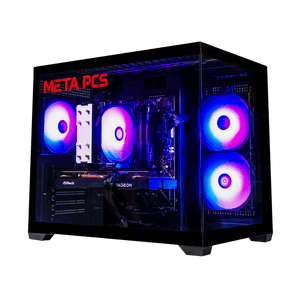
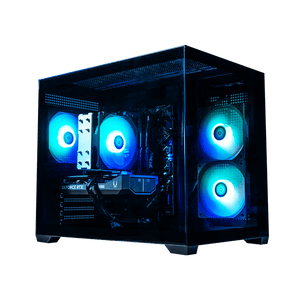
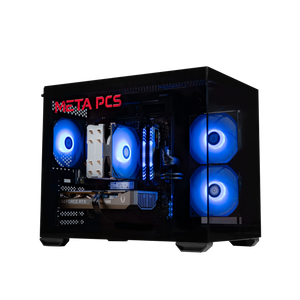
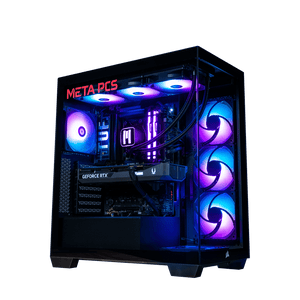
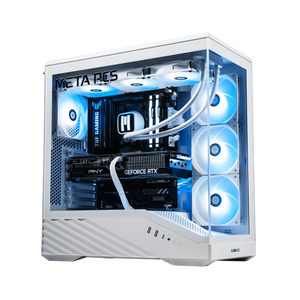
For 8GB builds, the CYCLONE (RTX 5050), DEEPCORE (RX 7600), EMBER Ti (RTX 5060 Ti 8GB), and STEAMROLLER v4 (RX 9060 XT 8GB) cover the 1080p esports and budget-AAA tier at $1,149 to $1,299 out the door. These are the builds we recommend for buyers who mostly play competitive shooters, older AAA, or emulation, and want to keep the total spend under $1,400.
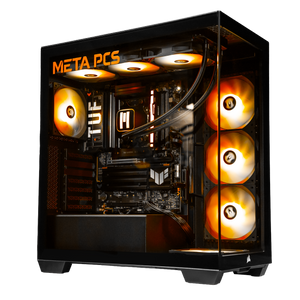
For 12GB builds, the V1SHADOW50 v3 ships with the RTX 5070 and the DOZER v2 ships with the RX 9070 GRE. Both land in the $1,749 to $2,149 range and hit the sweet spot for modern AAA at 1080p ultra or 1440p high. The V1SHADOW50 v3 is the NVIDIA pick if DLSS 4 Multi Frame Generation and ray tracing matter, the DOZER v2 is the AMD value pick running Steam OS out of the box.
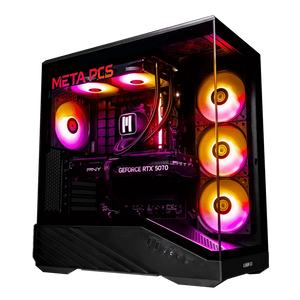
For 16GB builds, the SHADE v3 (RX 9060 XT 16GB) is our go-to for value-focused 1440p, the KILLDOZER v2 and NIGHTWALKER v2 (both RX 9070 XT) cover the higher-tier 1440p and light 4K bracket, and the TERRA 245 pairs the RTX 5060 Ti 16GB with an Intel Core Ultra 5 245K for the buyer who wants NVIDIA plus Intel in a modern build.
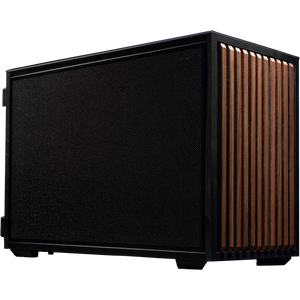
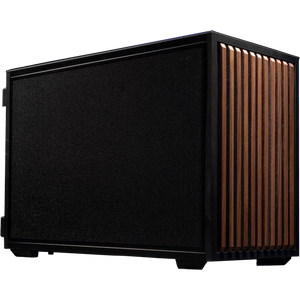
For 32GB (RTX 5090 tier), the Portal ships as a Ryzen 7 9800X3D barebones chassis with 32GB DDR5 and no GPU included, pre-wired for the 12V-2x6 connector, so you can drop in a 5090 when you find one at defensible pricing. The Beacon does the same on the Intel Core Ultra 7 270K Plus platform. Both are the natural path if you want a 5090-ready build without paying full-tower pre-assembled pricing on a card that's harder to source than the rest of the build combined.
FAQ
Is 8GB of VRAM enough for gaming in 2026?
For 1080p esports (Fortnite, Valorant, CS2, Overwatch 2, Marvel Rivals) and older AAA titles at 1080p high, yes. 8GB works fine for that use case. For modern AAA at 1080p ultra with high-res texture packs, or anything at 1440p ultra, 8GB is not enough. Cards will stutter into single-digit 1% low frame rates when they hit the memory ceiling in games like Cyberpunk 2077 Phantom Liberty, Hogwarts Legacy, The Last of Us Part I, and Ratchet & Clank Rift Apart. Buy 8GB only if the price is under $300 and your library is mostly esports or older games.
Is 12GB of VRAM enough for 1440p gaming?
12GB handles 1440p high in most modern AAA games without an issue. At 1440p ultra with ray tracing on, some games will pressure the buffer and force you to drop settings or enable upscaling. For a pure 1440p build in 2026, 16GB is the safer pick, but 12GB is workable if the card price justifies it (RTX 5070 or Arc B580 at 1080p, RX 9070 GRE at 1440p high).
Is 16GB of VRAM enough for 4K gaming?
For most 4K gaming at high or ultra with DLSS 4 or FSR 4 upscaling enabled, yes. 16GB handles ray tracing at 4K in the vast majority of current AAA titles. Where it starts to feel tight is 4K native with path tracing on, which is a specific workload that mostly matters in Cyberpunk 2077 RT Overdrive, Alan Wake 2 path traced, and a handful of upcoming titles. For that workload, the RTX 5090's 32GB is the only card that clears the ceiling comfortably.
Should I buy the 8GB or 16GB version of a card?
Always the 16GB version if the card is meant for 1440p or up. The price gap is usually $60 to $80 and the longevity difference is significant. If your budget forces the 8GB version and you're locked in at 1080p, that's a workable path for esports and older games, but it's not a card you'll stretch to 1440p later. For a deeper head-to-head on this exact tradeoff at the $290 to $500 tier, see our Arc B580 vs RX 9060 XT article.
Does DLSS or FSR reduce VRAM usage?
Somewhat, yes. Upscaling renders the game at a lower internal resolution and then upscales the output to your monitor's native resolution, which reduces the framebuffer and some intermediate render targets. That helps at the margins. What it doesn't do is reduce the memory needed for textures, which is where most of the VRAM pressure in modern games comes from. If a game legitimately needs 12GB for its textures at 1440p ultra, DLSS Quality won't drop that requirement to 8GB. Upscaling helps with GPU-limited performance more than it helps with VRAM-limited performance.
How much VRAM will I need in 2028 or 2029?
VRAM demand has been scaling roughly one tier per two generations, which puts the 2028-2029 floor at 12GB for 1080p and 16GB for 1440p based on current trajectories. 16GB should hold up for 1440p through 2029 for the games that matter today. 8GB will continue to age out faster than any other component in a build, which is why we don't recommend it at any price above $290 for a 2026 purchase. If you want the full context on 1440p spec expectations through the next few years, our 1440p buying guide walks through it.
Do consoles have this VRAM problem?
The PS5 and Xbox Series X have 16GB of unified memory shared between the CPU and GPU, of which roughly 13.5GB is available for game code and graphics combined. That's why the console-tier equivalent for a modern AAA game usually lands around 10GB to 12GB of dedicated VRAM on PC. When you see a game recommend 12GB minimum on PC, that's usually because it targets the console generation's memory budget.
Ready to Build?
If you know the resolution you're building for, VRAM sizing is the second question after GPU horsepower. For 1080p esports and older AAA at a value price, the STEAMROLLER v4 or CYCLONE covers the 8GB tier. For modern AAA at 1080p high and light 1440p, the V1SHADOW50 v3 sits at the 12GB sweet spot. For 1440p ultra and future headroom, the SHADE v3 (RX 9060 XT 16GB) is our go-to value pick, with the NIGHTWALKER v2 and KILLDOZER v2 covering the higher-tier 16GB bracket. Every META PCs system ships tested and on lifetime US-based support.
Not sure which VRAM tier fits your library and monitor? Reach out through the chat on metapcs.com and we'll help you match a build to what you play. We ship nationwide from our Arizona shop, and we'll walk you through the config on the phone if that's easier.