




1440p is the resolution most people should build for in 2026, and it doesn't take a 4K-tier PC to run it well. It's now the fastest-growing mainstream resolution on the Steam Hardware Survey, sitting behind only 1080p at over 21% of gamers and climbing. What you need is a build matched to two things: the refresh rate of the panel in front of you, and how hard you push settings once you sit down to play. Get those pinned down and the parts list stops being confusing.
Two questions to settle before you spec anything
Refresh rate first. A 1440p 60Hz single-player rig and a 1440p 240Hz esports rig share almost nothing on the GPU side. The mainstream target in 2026 is a 1440p 144Hz panel, which is where the resolution feels its best for the money and where most decent gaming monitors have landed this year.
Settings second. Ultra plus ray tracing on Cyberpunk 2077 at native 1440p pulls an RTX 5070 down to around 40 fps in our own runs. Flip on DLSS Quality or drop to high without RT and the same card clears 90 comfortably. That's the trade you're managing. Most gamers we talk to at the shop can't tell high from ultra during actual play, but they notice the frame drop the moment it happens.
A 1440p 144Hz build on high settings is the target for most people, and it costs a lot less than a 1440p 240Hz ultra build. Pin both of those down before anything else.
How much GPU you need for 1440p
The GPU carries the resolution. Everything else in the build is downstream of it, and at 1440p there are three tiers worth talking about.
At the entry, an RTX 5060 Ti 16GB or an RX 9060 XT 16GB handles 1440p on high settings and lives in the 60 to 100 fps range across most modern AAA titles, well past 144 in esports. It's the value entry into the resolution, paired well with a 1440p 144Hz monitor for single-player and moderate competitive play. If you're comparing that AMD card against Intel's cheaper option, our Arc B580 vs RX 9060 XT breakdown covers the budget end in more detail.
RTX 5070 or RX 9070 for 1440p
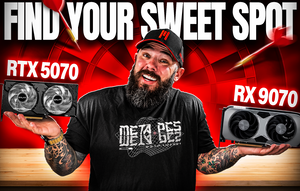
The RTX 5070 and RX 9070 are where 1440p opens up. Both land in the same price bracket, and GamersNexus puts the RX 9070 a step ahead in raw rasterization while the RTX 5070 gives up frames in exchange for DLSS 4 and stronger ray tracing. For most 1440p buyers we'd point at the 9070 first. It's the better frames-per-dollar card at native res, carries 16GB of VRAM for the years ahead, and holds a 144Hz panel on high to ultra without needing to lean on upscaling. The 5070 is the right call for one specific buyer, someone whose library leans on RT-enabled AAA titles like Cyberpunk 2077, Alan Wake 2, or Indiana Jones and the Great Circle, where DLSS 4 with frame gen is still the more mature upscaler and the ray tracing gap in raw silicon is real.
Past that tier sit the RTX 5070 Ti and RX 9070 XT. They earn their price in three cases: a 1440p 240Hz panel that needs the extra headroom, a refusal to drop settings in the heaviest ray-traced games, or plans to move to 4K later on the same card. For pure 1440p at 144Hz on high settings, they're more card than the resolution asks for, and the extra spend does more good in RAM, storage, or the monitor itself.
Why not build straight for 4K instead? A 4K build has to push more than twice the pixels of 1440p, which shoves you into the top of the GPU market where prices have gotten silly. The 1080p-to-1440p jump is visible from across the room. The 1440p-to-4K difference you have to lean in to see. For most people 1440p is the better spend.
RAM, CPU, and the parts most builds cheap out on
1440p doesn't change your RAM needs, but 2026 games have. 32GB is the number now. A modern UE5 title like Black Myth: Wukong or Stalker 2 can pull 16GB or more on the game alone at higher settings, and once you stack Windows, a browser with a few tabs, Discord, and whatever you're recording with on top of that, 16GB starts swapping to the SSD mid-session. Our RAM sizing guide breaks the tiers down in detail. The awkward part is that a 32GB DDR5 kit now runs around $400, which the RAMageddon guide gets into. Budget it in rather than cut down to 16GB. It's the upgrade you'll regret skipping.
CPU-side, the Ryzen 5 9600X is the floor for a 1440p 144Hz build. Six modern cores are enough to feed a 5070 or 9070 in current games, and at this resolution the GPU is the bottleneck anyway. An 8-core X3D chip like the Ryzen 7 7800X3D is only worth the extra money for a specific buyer, someone running CPU-bound titles at high refresh. That's MMOs during dense raid zones, sim games with heavy simulation loads, or a 360Hz esports setup where the CPU has to keep up. Outside that use case, the 9600X handles a 1440p GPU comfortably.
The two parts budget builds quietly skimp on are the PSU and the SSD, and those are also the two components we see come back most on warranty tickets. A 5070 or 9070 pulls 220 to 300 watts under load, and a cheap PSU running that close to its rated ceiling is how you get shutdowns mid-game or, worse, a fried board a year in. A SATA SSD in 2026 has newer games hitching during asset streaming that an NVMe drive shrugs off. Neither part shows up in benchmark charts. Both matter after a year.
What we'd build for 1440p
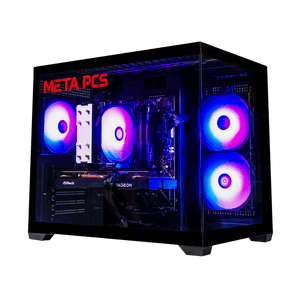
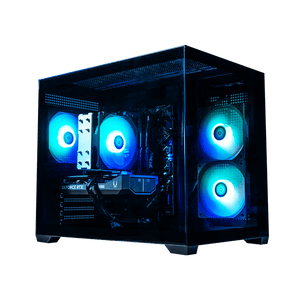
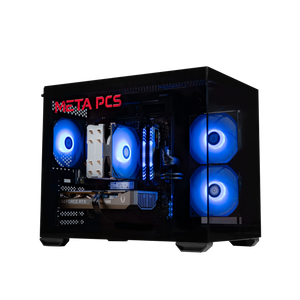
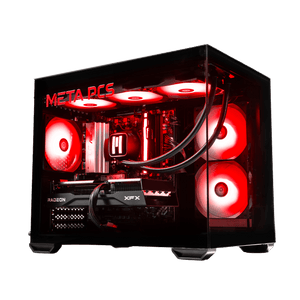
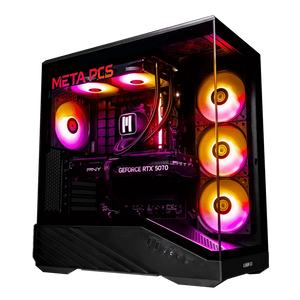
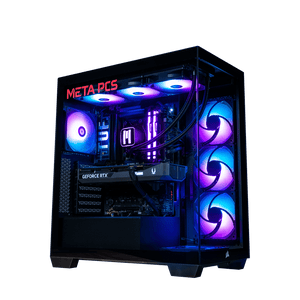
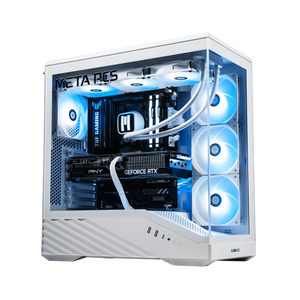
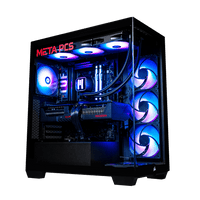
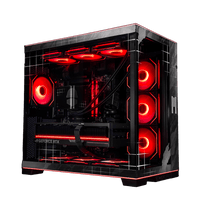
Entry tier we point at the SHADE v3, which pairs an RX 9060 XT 16GB with a Ryzen 5 9600X. It ships with a 16GB DDR5 kit at this price, which is enough at 60 to 100 fps on high settings, and dropping in a second 16GB stick to reach 32GB is the cleanest upgrade once you feel the ceiling. The NVIDIA counterpart at the same tier is the Phantom v4, running the RTX 5060 Ti 16GB on the same 9600X foundation for buyers who want DLSS 4 out of the gate.
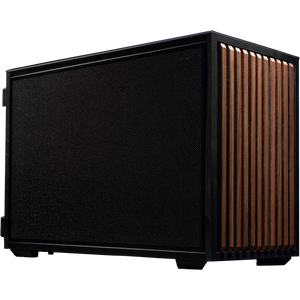
The sweet spot tier is where the Dozer v2 sits, with the RX 9070 GRE and the 9600X. That's a 1440p 144Hz high-settings machine that stops chasing headroom you'd never use. It ships as a SteamOS build, which is worth a look for anyone whose library is Steam-first and who wants to step off Windows.
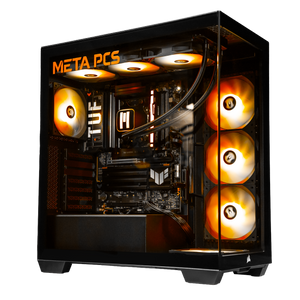
For a 1440p 240Hz panel or the "some 4K when I feel like it" case, the Nightwalker v2 is the build we'd spec. It runs a Ryzen 7 7800X3D with an RX 9070 XT and 32GB of DDR5 already onboard, so the RAM budget you'd otherwise spend is already inside the box. For pure 1440p 144Hz you don't need it and we'll tell you so. Every build ships tested, on lifetime US-based support, and with an upgrade path that lets a stronger GPU drop in two or three years without pulling the rest of the machine apart. Our Best Prebuilt Gaming PC guide covers what separates a good prebuilt from a bad one at any tier.
FAQ
Is 1440p worth it over 1080p in 2026?
For most people, yes. The 1080p-to-1440p upgrade is the most visible resolution jump in PC gaming right now, and 1440p-class GPUs have become the value tier rather than the top of the stack. The exception is a competitive shooter player chasing max frames at any cost, where raw 1080p on a 240Hz+ panel still wins.
What GPU do I need for 1440p 144Hz?
An RTX 5070 or RX 9070 is the sweet spot. On a tighter budget, an RTX 5060 Ti 16GB or RX 9060 XT 16GB holds 144Hz at high settings in most games. Skip the RTX 5070 Ti and RX 9070 XT unless you're pushing 240Hz or maxing ray tracing.
How much RAM do I need for 1440p gaming?
32GB. Resolution doesn't move the number much on its own, but 2026 UE5 games use 16GB or more just for the game, and Windows plus your background apps eats another 8 to 10GB before you launch anything. 64GB only pays off if you're doing content creation on the same machine.
Do I need a better CPU for 1440p than for 1080p?
Usually the opposite. At 1440p the GPU handles more of the load, so a modern 6-core like the 9600X is fine. Move up to an 8-core X3D chip like the 7800X3D only if you're gaming at 240+ fps, running CPU-heavy titles like MMOs and sims, or streaming while you play.
Ready to build
1440p in 2026 is the easiest resolution to recommend as long as you build for the monitor you already own instead of the biggest number on a spec sheet. An RTX 5070-class or RX 9070-class GPU on a 144Hz panel with 32GB behind it holds up for years and skips the 4K tax entirely.
If you'd rather not source parts yourself, our ready-to-ship builds cover every 1440p tier from entry to high-refresh, and the custom PC builder handles anything in between. Every system ships tested and on lifetime US-based support, and when it lands here are the first six things to do before you launch a game.