





Windows 10 end of support was October 14, 2025, but security updates for home PCs now run to October 12, 2027, free if you sync your settings to a Microsoft account. Most Windows 10 PCs don't need replacing yet. If yours qualifies, Windows 11 is a free upgrade. Replace it when it can't run Windows 11 or your games.
We recorded the video above when regular Windows 10 support ended in October 2025, and back then the extra year of updates looked like the last one. In June 2026, Microsoft quietly moved the end date to October 2027, as Tom's Hardware reported, and anyone already enrolled rolled over automatically. The Steam Hardware Survey for September 2026 still had 23.61% of Steam users on Windows 10, roughly one in four, and many of them may not know the deadline moved.
What Changed With Windows 10 Support
This is the timeline as Microsoft's own pages lay it out.
| Milestone | Date | What it means |
|---|---|---|
| Regular support ended | October 14, 2025 | No more free updates outside the ESU program |
| Original ESU end date | October 2026 | Replaced by the extension |
| Current ESU end date | October 12, 2027 | Last security updates for enrolled home PCs |
Microsoft's ESU page lists three ways in. Enrollment costs nothing if you're syncing your PC settings to a Microsoft account. You can also redeem 1,000 Microsoft Rewards points, or make a one-time $30 purchase. The PC needs to run Windows 10 version 22H2, and the Microsoft account you sign in with has to be an administrator account. One enrollment covers up to 10 PCs on the same Microsoft account, as Tom's Hardware notes. Work machines joined to a company domain or managed by an IT department aren't eligible for the consumer program.
ESU covers critical and important security updates and nothing else. You won't get new features or technical support, so think of it as time to plan your next move.
How to Enroll
Open Settings, then Update & Security, then Windows Update. If your PC qualifies, you'll see an enrollment link there. If you enrolled last year, you don't need to do anything, since your coverage already runs to the new date. If the link doesn't appear, type winver into the Start menu to confirm you're on version 22H2, install any pending updates, and make sure you're signed in with a Microsoft account that has administrator rights.
Check Whether Your PC Can Run Windows 11
Before you think about a new PC, find out whether you even need one. If your hardware meets Windows 11's requirements, Microsoft offers the upgrade for free through Windows Update. Microsoft's PC Health Check app gives a quick yes or no, too.
The hardware lines that block most older machines are TPM 2.0, a Secure Boot capable PC and a supported processor. As Tom's Hardware has noted, that means an Intel 8th-generation chip or newer, or an AMD Ryzen 2000 series or newer. Our guide on how to check if your PC can run a game walks through finding your TPM version in tpm.msc and your Secure Boot state in msinfo32, and the same checks apply here.
A Failed Check Can Be a Setting
A lot of the 2018-and-newer PCs we see fail the Windows 11 check only because a feature is switched off. Most supported Intel and AMD processors include a firmware TPM 2.0, labeled Intel PTT or AMD fTPM in the BIOS, and some boards ship with it disabled. Secure Boot works the same way. Turn both on in the BIOS, run the check again, and the free upgrade often appears. Before you flip Secure Boot on, check that msinfo32 lists BIOS Mode as UEFI, or the setting won't take.
When Windows 10 Is Fine for Another Year
If your PC passes the Windows 11 check, you can upgrade for free whenever you're ready, and there's no reason to buy hardware for the operating system alone. If it doesn't pass but still runs everything you play, ESU keeps it patched for another year.
That extra year is worth more than it looks right now. Memory and graphics card prices have climbed through 2026, which our RAMageddon breakdown covers in detail. With security updates running until October 2027, nobody has to buy at today's prices only to stay protected.
When a New PC Makes Sense
Some machines are past the point where ESU helps. If your processor is older than Intel's 8th generation or AMD's Ryzen 2000 series, there's no free Windows 11 upgrade waiting, and October 2027 becomes a hard stop.
Games are the other trigger. Battlefield 6 and recent Call of Duty titles, including Modern Warfare 4, require TPM 2.0 and Secure Boot. If your PC fails the Windows 11 check because of TPM or Secure Boot, those games will block it too, whichever version of Windows it runs. Spec sheets are also moving on. Gears of War: E-Day lists Windows 10 22H2 as its minimum but recommends Windows 11.
If your PC is struggling with games you already play, that matters more than the update date. ESU only patches security holes, so it can't help a 2018 graphics card keep up with a 2026 game.
Upgrading parts rarely saves much in that situation. A processor older than the cutoff means a new CPU and motherboard, and moving from an older DDR4 platform to a current one usually means new memory as well. At that point most of the machine is new, and pricing a complete system next to the parts list is worth the five minutes. Our prebuilt vs DIY breakdown walks through how to run that comparison with current prices.
Moving to a New PC
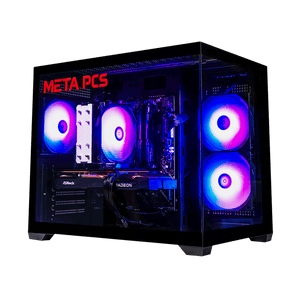
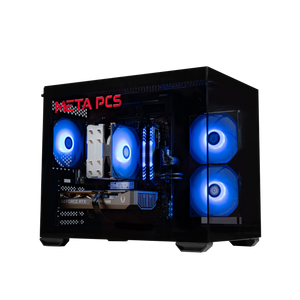
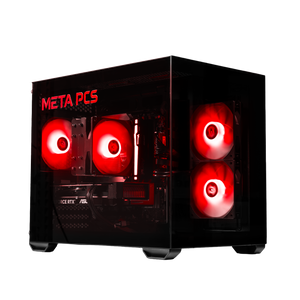
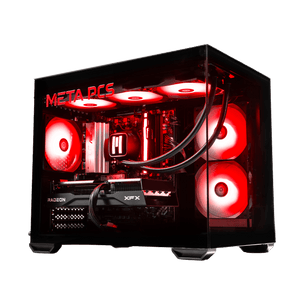
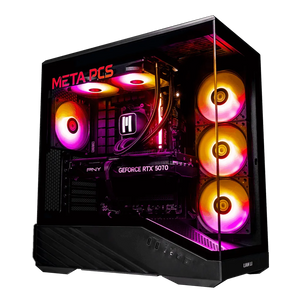
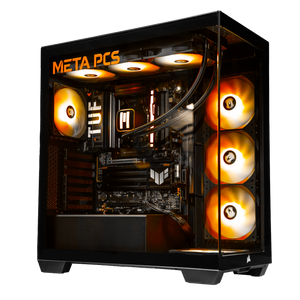
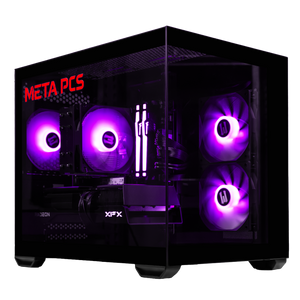
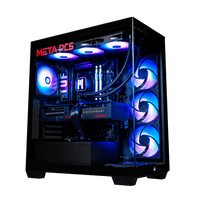
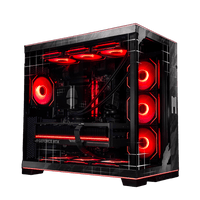
Most META PCs builds on our ready-to-ship page come with Windows 11 Home installed, and as the video puts it, they're Battlefield 6 ready with Secure Boot on. A few builds, like the KILLDOZERv2, ship with SteamOS if you'd rather leave Windows behind. Our best gaming PC under $1,500 guide covers the budget end, and the best prebuilt gaming PC breakdown explains what separates a good prebuilt from a bad one.
Before you switch, back up your files. Windows Backup, the same feature that gets you free ESU, can copy your settings to your Microsoft account and your folders to OneDrive. Once the new machine is running, our first 6 things to do after building a gaming PC guide covers the setup steps, and they apply to a new prebuilt too.
FAQ
When does Windows 10 support end?
Regular Windows 10 support ended on October 14, 2025. Home PCs enrolled in Microsoft's Extended Security Updates program keep receiving security updates until October 12, 2027, after Microsoft extended the program by a year in June 2026.
Is Windows 10 Extended Security Updates free?
It's free if you sync your PC settings to a Microsoft account. You can also redeem 1,000 Microsoft Rewards points or pay a one-time $30. The PC needs Windows 10 version 22H2 and an administrator Microsoft account, and anyone who enrolled before the extension is covered automatically.
Can I still play games on Windows 10?
Most games still run on Windows 10, but check each spec sheet. Gears of War: E-Day lists Windows 10 22H2 as its minimum and recommends Windows 11. Battlefield 6 and recent Call of Duty games require TPM 2.0 and Secure Boot, which some PCs that can't upgrade to Windows 11 also lack.
What happens to Windows 10 after October 12, 2027?
Microsoft hasn't announced anything past that date. Windows 10 will keep running, but without security updates it becomes riskier to use online. Plan to move to Windows 11, either on your current PC if it qualifies or on a new one, before then.
Do I need a registry tweak to get Windows 10 updates?
You don't need one, since Microsoft's own ESU enrollment is free if you sync your settings, and it appears under Settings, Update & Security, Windows Update on eligible PCs. Stick with the official route, since unofficial workarounds can stop working without warning.
Ready to Build
Every META PCs build on our ready-to-ship page ships tested and on lifetime US-based support, and we ship nationwide from our Arizona shop. If you'd rather pick every part yourself, the custom PC builder lets you spec the whole machine, and we build and test it here before it ships.