





For pure gaming, the Ryzen 7 9800X3D is the faster chip, and the Core Ultra 7 270K Plus ran about 20% slower at 1080p in Tom's Hardware's testing. At 4K that gap nearly disappears. The 270K Plus pulls far ahead in rendering and editing with 24 cores to the 9800X3D's 8, so your resolution and workload decide it.
Both of those numbers are true, which is why this comparison confuses people. In our testing in the video, both chips ran at 4K and the 9800X3D came out ahead by about 0.3% on average across every game, close enough to call a tie. Tom's Hardware's 270K Plus review ran its 17-game suite at 1080p with an RTX 5090 and found the Intel chip about 20% slower. The processors are the same and the results aren't, and the difference comes down to which part of the PC is doing the limiting. We build both chips into otherwise identical machines, so we get this question a lot.
The Specs Side by Side
These are two different designs aimed at the same buyer. Here's what Intel's and AMD's own spec pages list, plus the 9800X3D's package power limit.
| Spec | Core Ultra 7 270K Plus | Ryzen 7 9800X3D |
|---|---|---|
| Cores / threads | 24 / 24 (8 P-cores, 16 E-cores) | 8 / 16 |
| Max boost clock | 5.5GHz | 5.2GHz |
| Cache | 36MB L3 (76MB with L2) | 96MB L3 (104MB with L2) |
| Power | 125W base, 250W max turbo | 120W TDP, 162W max (PPT) |
| Socket | LGA 1851 | AM5 |
| Official memory speed | DDR5-7200 | DDR5-5600 |
The cache and core counts tell the story. The 9800X3D's 96MB of L3 cache, stacked on the chip with AMD's 3D V-Cache, is why it games so well. It keeps more of a game's working data right next to the cores. The 270K Plus answers with three times the cores, which is why it flies through renders and exports. Intel's spec page lists a 250W maximum turbo power. AMD's lists a 120W TDP, and the 9800X3D's real ceiling is its 162W package power limit (PPT), per the spec table in Tom's Hardware's 9800X3D review. That gap of almost 90W shows up in heat and in the power supply you need.
Why Resolution Changes the Answer
Every frame needs work from both the CPU and the graphics card, and whichever finishes last sets your frame rate. At 1080p on a fast card, the graphics card finishes quickly and waits on the CPU, so the CPU with more cache pulls ahead. That's the setup Tom's Hardware used to isolate the chips, and it's where the 9800X3D earns its reputation. Our Ryzen 7 9850X3D review uses the same Tom's Hardware data, with the 270K Plus at 77.5% of the 9850X3D's gaming performance and the 9800X3D at 97%.
At 4K the load flips. The graphics card is now the slow part, both CPUs spend time waiting on it, and the gap closes to fractions of a frame. That's what our testing in the video found.
1440p sits between the two, and where it lands depends on your graphics card. A mid-range card at 1440p behaves more like 4K, and a top-end card pushing high refresh rates behaves more like 1080p. Competitive players chasing 240Hz and above should weight the 1080p result.
Where the 270K Plus Pulls Ahead
Rendering is where those 24 cores pay off. In our CPU-heavy tests in the video, Blender, Cinebench and 3DMark's CPU benchmark, the 270K Plus averaged about 66% ahead of the 9800X3D. Tom's Hardware puts its productivity performance in the same conversation as the Ryzen 9 9950X.
The way our team put it in the video, the 270K Plus is an F-250 and the 9800X3D is a Prius. They get you from point A to point B in games at about the same speed, but the truck can haul a lot more and burns more fuel doing it. If you game at night and edit video, render 3D or compile code by day, that hauling capacity is the reason to pick Intel. Streaming itself leans mostly on the graphics card's encoder, so the extra cores help most with the editing that comes after.
Power, Heat and Upgrade Path
Power draw is the 270K Plus's real cost. Intel rates it for up to 250W of turbo power, and our testing in the video measured it pulling as much as 280W under full load. Both builds below ship with a 360mm AIO and a 1000W power supply, sized for anything up to an RTX 5090, so neither CPU boxes you in on cooling or power.
The bigger long-term difference is the socket. AMD supports AM5 through 2029, so a 9800X3D owner should be able to drop in a newer AM5 chip later with a BIOS update. Tom's Hardware calls LGA 1851 a platform on its way out, with Intel saying its next desktop generation, Nova Lake, arrives before 2027. A 270K Plus is likely the last major stop on its board.
That cuts both ways for people who already own a PC. If you're already on an LGA 1851 board, the 270K Plus drops in, though it may need a BIOS update first. If you're on AM5, switching means a new motherboard and possibly a new power supply, and staying put makes more sense.
Which One to Pick
| If you mostly | Pick | Why |
|---|---|---|
| Play competitive games at high refresh | Ryzen 7 9800X3D | The 270K Plus runs about 20% slower at 1080p |
| Game at 4K | Either | Our testing in the video measured a tie |
| Game and edit or render | Core Ultra 7 270K Plus | 24 cores, about 66% ahead in rendering |
| Plan to upgrade the CPU later | Ryzen 7 9800X3D | AM5 support through 2029 |
Beacon vs Portal: Same Build, Different CPU
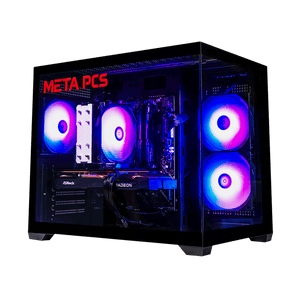
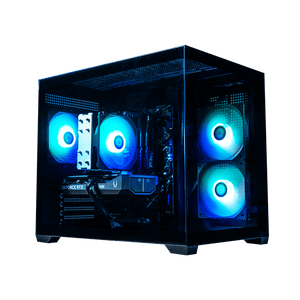
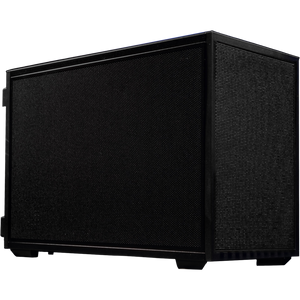
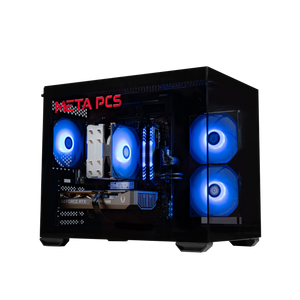
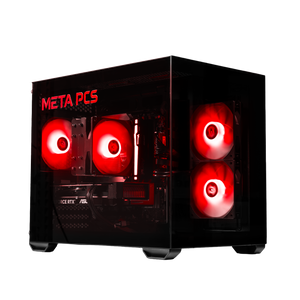
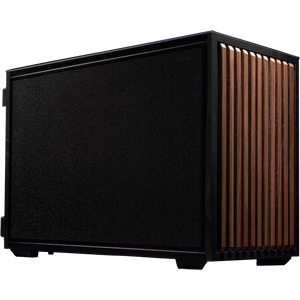
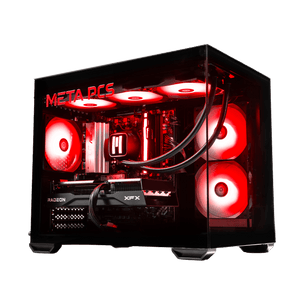
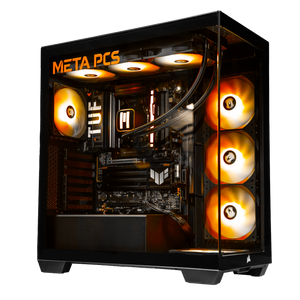
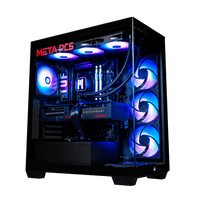
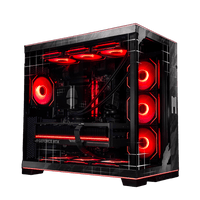
Our Beacon runs the Core Ultra 7 270K Plus on an ASUS Z890 TUF-PLUS, and our Portal runs the Ryzen 7 9800X3D on an ASUS TUF Gaming X870-PLUS WIFI. Everything else matches: 32GB of DDR5-6000, a 1TB Kingston Gen4 NVMe drive, a META 360mm AIO, a META 1000W Gold PCIe 5.0 power supply and a Corsair 3500X case.
Both ship without a graphics card, pre-wired for a 12V-2x6 (formerly 12VHPWR) card, so you can bring your own or pick one up separately. As of October 4, 2026, the Beacon is $2,249 and the Portal is $2,349, a $100 gap. Prices move, so check the product pages for the current figure.
Since you're choosing the graphics card yourself, the card you pair with decides how much the CPU gap matters. A high-end card at 1080p or 1440p high refresh makes the Portal the better pick. A 4K setup or a creator workload makes the Beacon the smarter buy, with $100 left over. If you'd rather have the graphics card included, our FLP02 pairs a 9800X3D with an RTX 5070 Ti. For help with the card itself, our RTX 5070 vs RX 9070 XT breakdown and VRAM guide cover the current options.
FAQ
Is the Core Ultra 7 270K Plus good for gaming?
The 270K Plus is a capable gaming CPU, especially at 1440p and 4K, where the graphics card does most of the limiting. In our 4K testing in the video it averaged within about 0.3% of the Ryzen 7 9800X3D. At 1080p with a top-end card it trails, running about 20% slower in Tom's Hardware's testing.
Is the 9800X3D worth it over the 270K Plus?
For gaming-first buyers, especially at 1080p or high refresh rates, the 9800X3D is the better buy. Its 96MB of L3 cache keeps it ahead when the CPU is the limit, and AM5 support through 2029 leaves room to upgrade. If you also render or edit, the 270K Plus gives you far more multi-core performance, and our Beacon costs $100 less than the Portal.
Which is better for streaming and video editing?
The 270K Plus wins by a wide margin once editing and rendering come in. It has 24 cores to the 9800X3D's 8, and it averaged about 66% ahead in our Blender, Cinebench and 3DMark CPU tests in the video. The live stream itself mostly runs on the graphics card's encoder, so the CPU difference shows up most in the editing afterward.
Can I upgrade a 270K Plus later?
Upgrade options are limited, because the 270K Plus uses Intel's LGA 1851 socket, which Tom's Hardware describes as on its way out, with Intel's Nova Lake generation expected before 2027. Plan on keeping the CPU for the life of the board. AM5, the 9800X3D's socket, is supported through 2029.
How much power does the 270K Plus use?
Intel rates the 270K Plus at 125W base power and up to 250W maximum turbo power, and our testing in the video measured peaks around 280W under full load. The 9800X3D is rated at a 120W TDP with a 162W package power limit. Plan on a strong cooler and a quality power supply for the Intel chip. Our Beacon ships with a 360mm AIO and a 1000W unit.
Ready to Build
Every META PCs build on our ready-to-ship page ships tested and on lifetime US-based support, and we ship nationwide from our Arizona shop. If you'd rather pair either CPU with a specific graphics card, the custom PC builder lets you spec the whole machine and we build and test it here. If you're still weighing what to buy, our best prebuilt gaming PC guide and full guide to building a gaming PC in 2026 cover the rest.