





Your old graphics card is still good enough if it runs your games at your resolution and the rest of your PC isn't holding it back. A quick free test tells you which part to upgrade. GTX 10 series and older cards no longer get Game Ready drivers and can't launch games that require ray tracing hardware.
We tested this the fun way. In the video above, we put a GTX 1080 Ti, a card that launched in March 2017 at $699, into a 2026 build with a Ryzen 7 9850X3D. Then we put an RTX 5080 into an eBay workstation from 2017 with an Intel Core i7-7700K and DDR4-2400. We tested three games at three resolutions for nine rounds in total, and the 1080 Ti won four of them. Tom's Hardware's own farewell test found the 1080 Ti still averaging close to 60fps at 1080p in raster games, which is impressive for a nine-year-old card. The interesting part of our test is where it won and why.
What the 1080 Ti vs RTX 5080 Test Showed
Both PCs ran the same Windows build and game versions, with no DLSS, FSR or frame generation, and every result is an average of three runs.
| Game and resolution | GTX 1080 Ti + Ryzen 7 9850X3D | RTX 5080 + Core i7-7700K |
|---|---|---|
| Assassin's Creed Shadows, 1080p | 40fps | 83fps |
| Far Cry 5, 1080p | 165fps | 114fps |
| GTA V (Legacy), 1080p | 266fps | 147fps |
| Assassin's Creed Shadows, 1440p | 32fps | 79fps |
| Far Cry 5, 1440p | 117fps | 112fps |
| GTA V (Legacy), 1440p | 162fps | 146fps |
| Assassin's Creed Shadows, 4K | 21fps | About 60fps (one run shown) |
| Far Cry 5, 4K | 61fps | 110fps |
| GTA V (Legacy), 4K | 78fps | 143fps |
The RTX 5080 took it 5 to 4, but look at its column. In GTA V it ran 147fps at 1080p and 143fps at 4K. Four times the pixels cost it about 3% of its frame rate. The 1080 Ti went from 266fps to 78fps, a 71% drop, which is what a graphics card doing the heavy lifting looks like.
The 5080 spent most of that test waiting. The CPU runs the game itself, including physics, AI and where everything sits in the world, and then sends the graphics card its instructions for each frame. A four-core chip from 2017 couldn't send them fast enough, so the 5080 finished every frame and sat idle until the next one arrived. The 1080 Ti had the opposite setup, with a modern CPU feeding it as fast as it could work. The on-screen overlay in Assassin's Creed Shadows shows the same thing from the other side. At 1080p the 1080 Ti ran at 99% GPU usage with the 9850X3D at 11%, while the 5080 sat at 81% with the 7700K at 74%. Shadows is a heavy enough game that the 5080 still won every round of it, but even there the old CPU was working far harder than the new one. One more detail from the video is worth knowing. At 1080p in GTA V, the 5080 machine had the lower average but the higher 1% lows, so the slower PC was the smoother one in that test. A single average number never tells the whole story.
The Quick Test: Is It Your Graphics Card or Your CPU?
You can run the same check on your own PC tonight, in a game you already own.
- Turn on a frame rate counter, like the overlay in the NVIDIA App or AMD Adrenalin.
- Play at your normal resolution, stand in one repeatable spot, and note the frame rate.
- Raise the resolution one step, or turn up the render scale, and check the same spot again.
If the frame rate dropped a lot, your graphics card is the limit, and a faster card is the upgrade that will help. If it barely moved, your graphics card is already waiting on the CPU, memory or platform, and a new card would change almost nothing. That second result is what we see most often on older PCs where someone has already upgraded the graphics card once. Our free FPS boost guide covers the settings worth checking before you spend anything.
When an Old Card Stops Being Enough
Raw speed is only part of it. A card can still post fine numbers and run into these limits.
Driver Support Has Ended for the GTX 10 Series
The 1080 Ti in our test ran driver 582.66, one of NVIDIA's security-only releases for older cards. NVIDIA released its final Game Ready driver for Maxwell, Pascal and Volta cards in October 2025, which covers the GTX 900 series, the GTX 10 series and the Titan V, according to Tom's Hardware's report on the announcement. Those cards now get quarterly security updates through October 2028. The card keeps working, but when a new game launches with problems on it, no driver is coming to fix them.
Some New Games Won't Launch at All
The 1080 Ti has no ray tracing hardware, and more games now require it. Tom's Hardware notes that Doom: The Dark Ages and Indiana Jones and the Great Circle both can't run on the card. The same is true for every GTX card, so if the games you want are on that list, no amount of CPU will help.
Video Memory
The 1080 Ti's 11GB still holds up, but a lot of older cards from that era have 6GB or less. Our VRAM guide explains where 8GB starts to fall short and why 16GB is the floor we'd pick for 1440p, and our guide to checking if your PC can run a game shows how to match your card against any game's spec sheet.
What to Upgrade Based on Your Result
If the test says your graphics card is the limit, a new card is the right move. Prices are still high in 2026, and our RTX 60 release date breakdown explains why waiting for NVIDIA's next generation means waiting until at least 2028, if the leaks are right.
If the test says your graphics card is waiting, keep the card and replace what's around it, which usually means a current CPU and motherboard, 32GB of DDR5 and a power supply with the right connectors for your card. Our 270K Plus vs 9800X3D comparison covers the two gaming CPUs we'd pick, and you can spec the rest in our custom PC builder.
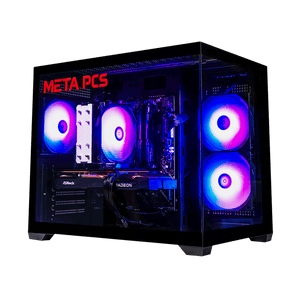
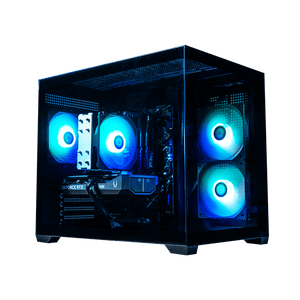
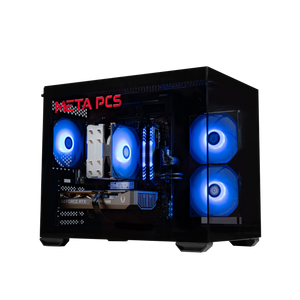
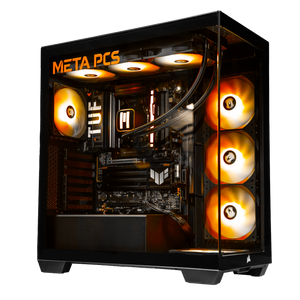
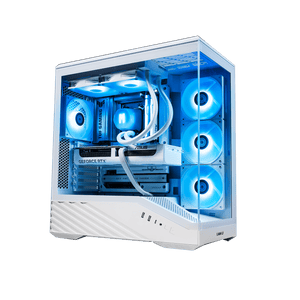
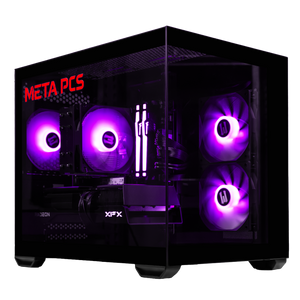
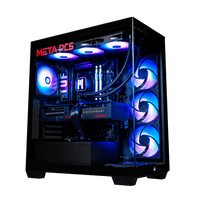
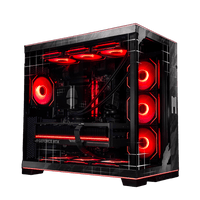
If both the card and the platform are old, a full replacement usually makes more sense. The SHADEv3 ($1,999) pairs a Ryzen 5 9600X with a 16GB RX 9060 XT, and the IRONREIGN ($3,899) runs a Ryzen 7 7800X3D with an RTX 5070 Ti and 32GB of DDR5-6000. Those are regular prices as of November 7, 2026, and both have been on sale for less, so see each product page for the current price. Our upgrade or replace guide goes platform by platform if you're not sure which camp you're in.
FAQ
Is the GTX 1080 Ti still good in 2026?
It still runs a lot of games well at 1080p, especially paired with a modern CPU, and in our test it beat an RTX 5080 that was stuck with a 2017 processor in four of nine rounds. It no longer gets Game Ready drivers and can't launch games that require ray tracing hardware, like Doom: The Dark Ages.
Does NVIDIA still update drivers for the GTX 10 series?
NVIDIA's final Game Ready driver for the GTX 10 series came out in October 2025. GTX 900 and 10 series cards now get quarterly security updates through October 2028, without new game optimizations or fixes.
How do I know if my CPU is bottlenecking my GPU?
Check your frame rate in a game, raise the resolution one step, and check the same spot again. If the frame rate barely changes, your CPU or platform is holding the graphics card back. If it drops a lot, the graphics card is the limit.
Should I upgrade my CPU or GPU first?
Upgrade whichever part the resolution test points to. If raising the resolution cuts your frame rate, upgrade the graphics card. If it doesn't, the CPU, memory or motherboard is the better upgrade, and a new graphics card would be held back the same way.
Can a GTX graphics card run ray tracing games?
GTX cards have no ray tracing hardware. Games that use ray tracing as an option will run with it turned off, but games that require it, such as Doom: The Dark Ages and Indiana Jones and the Great Circle, won't run on them.
Ready to Build
Every META PCs build on our ready-to-ship page ships tested and on lifetime US-based support, and we ship nationwide from our Arizona shop. If you'd rather choose every part yourself, the custom PC builder lets you spec the whole machine, and we build and test it here.