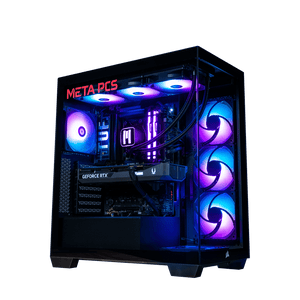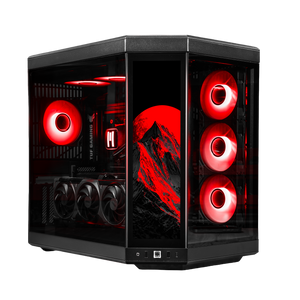





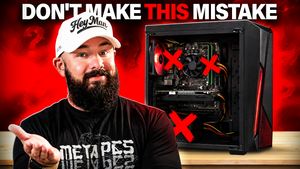
Most budget gaming PCs are a trap. You save $400 today, and two years later you're building an entirely new computer because a hidden dead end forces you to replace half the parts to upgrade anything. The most overlooked mistake in a budget build is not a cheap part. It's short-term thinking. Building for today's framerate instead of the upgrade path costs way more in the long run than picking slightly better components upfront.
Zack broke this whole idea down in the video below and put together a $1,400 starter build to prove it. Then he benchmarked it twice, once as-is and once after two simple upgrades, and the FPS per dollar actually went up after spending more money. That is not how upgrades usually work. Here is what to actually watch for when you're buying a budget gaming PC in 2026.
The 5 budget build mistakes to avoid in 2026
- Buying an AM4 or LGA 1200 motherboard when AM5 costs almost the same and lasts years longer
- Cheaping out on DDR4 memory that can't be cleanly expanded later
- Undersizing the power supply so it can't handle a future GPU upgrade
- Getting a case with limited GPU clearance or only three expansion slots
- Pairing everything with a cheap air cooler that maxes out at your current CPU
Why upgrade paths matter more in 2026 than they used to
Two things have changed that make short-term thinking more expensive than it used to be. First, RAM prices climbed roughly 89% in a single quarter of 2026, and a 32GB DDR5 kit that ran $80 to $120 in mid-2025 now runs $400 or more. We covered the whole memory pricing story in our RAMageddon buying guide. Second, NVIDIA skipped 2026 entirely for new gaming GPUs, so the RTX 5000 series is still the current high-end lineup and pricing is elevated across the board. Any component you plan to replace later, you're replacing at 2026 or 2027 prices, not 2025 prices.
What that means practically is that every time you have to buy something twice because your first choice locked you out of an upgrade, you're paying today's inflated prices for the second version. Building with the cleanest upgrade path in mind is not a preference anymore. It is how you actually save money over the life of the machine.
Mistake 1: The motherboard dead end
The most expensive mistake in a budget build is picking a motherboard from a socket AMD or Intel has moved on from. AM4 and LGA 1200 both fit that description now. Those chips work fine right now, but the second you want a faster CPU in 2027 or 2028, you also need a new motherboard, new memory to match, and probably a new cooler. That is not an upgrade. That is a full rebuild that you're paying for a piece at a time.
AM5 is where you want to be for any build that has a two-plus year horizon. AMD has extended their AM5 commitment through 2029 as of Computex 2026, up from their earlier 2027+ pledge, which means the entry-level Ryzen 5 you buy today can be replaced by a Ryzen 7 X3D in a couple of years without a new board, new memory, or a new cooler. B650 chipset boards from ASRock, MSI, or Gigabyte start around $130 to $150, and most of them handle the Ryzen 7 9800X3D via a BIOS update. That is one board that carries you from your first budget build all the way through a flagship X3D upgrade.
Mistake 2: The RAM dead end
Most budget builds ship with 16GB of DDR4 as two 8GB sticks. Sounds fine on paper. The problem is that adding more memory later means either replacing both sticks or dealing with stability issues that come from mismatched kits, which DDR4 is picky about. Zack's build in the video runs a single 16GB stick of DDR5-5600 with the second slot empty on purpose, so the first upgrade is just adding a matching stick and getting full dual-channel bandwidth without any of the DDR4 mismatched-kit headaches.
The takeaway: adding a matching stick to complete a kit from the same manufacturer is far cleaner than trying to blend two separate DDR4 kits together. And if the build has an empty slot from day one, you can double the memory in a few minutes with a single purchase instead of replacing what you already have. Any budget build should either come with the memory you want at day one, or leave a clean path to add more.
Mistake 3: The power supply dead end
This is the mistake that catches almost everyone. Cheap builds ship with a power supply that has just enough wattage for the current parts. Then you buy a new GPU two years later, plug it in, and either the system won't boot or it crashes under load because the PSU can't deliver enough power to the new card. Now you're doing full cable management on a Sunday afternoon instead of playing the game you actually bought the GPU for.
The fix is buying more watts than you need on day one. Zack's video build uses a 1000W PSU pairing an RTX 5060 Ti with a Ryzen 5 7600X, which together draw under 300W under load. That leaves over 700W of headroom, enough to drop in an RTX 5090 and a Ryzen 7 9800X3D later without touching the power supply. NVIDIA specifically recommends 1000W for the RTX 5090's total system draw. Buying a PSU that already meets that requirement, even if your current GPU only uses a third of it, is the single biggest future-proofing decision you can make on a budget build.
Mistake 4: The case dead end
A case is not just aesthetics. It determines how big of a GPU you can fit later, how many drives you can add, and how much cooling you can push through the system. Cheap budget cases often max out at 320mm GPU clearance and have three expansion slots. That worked fine for the RTX 3060 generation. It does not work for the RTX 50 series, where some 5080 and 5090 models push past 380mm and take 3.5 to 4 expansion slots.
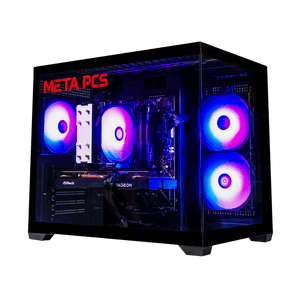
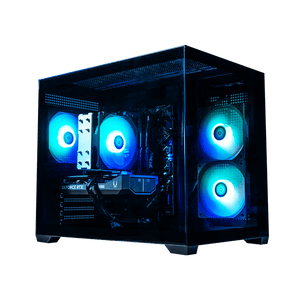
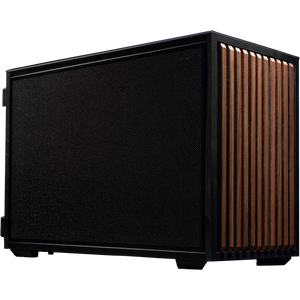
Look for a case with at least 400mm of GPU clearance, four or more expansion slots, and enough fan mounts to handle a real cooling loop later. The Lian Li Vector V100R that Zack uses in the build hits all three of those marks at around $75. Not every budget case does. The one you pick is what your build lives inside for the next five years, so it's worth spending an extra $20 to get one that can actually grow with the rest of the system.
Mistake 5: The cooling dead end
Stock coolers and generic budget air coolers usually can not handle anything above a mid-range CPU under load. That is fine for a Ryzen 5 today. It is not fine when you drop in a Ryzen 7 X3D in 2028 and the cooler cannot keep temperatures below 90°C during gaming. Then you're buying a new cooler, doing a full CPU removal, and reapplying thermal paste on top of the actual CPU upgrade you wanted to do.
Get a cooler that already handles a step or two above your current CPU. The Thermalright Peerless Assassin 120 SE runs around $40 and consistently handles Ryzen 7 chips under full load. That is the class of cooler that a real budget build should have from day one. It cools your Ryzen 5 today with room to spare, and it still cools an X3D chip two years from now without a second purchase.
What we ship at the shop that avoids these mistakes
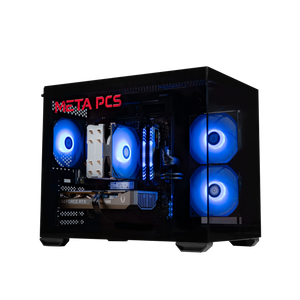
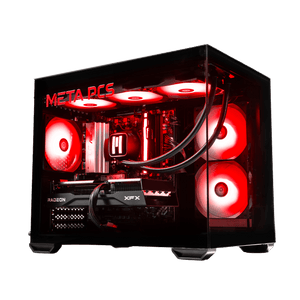
The build Zack put together in the video is essentially the template for smart budget builds. It is on AM5, it has memory expansion room, it has an oversized PSU, and the case fits any GPU you would realistically buy. Our ready-to-ship lineup follows the same principles at three tiers.
The Steamroller v3 at $1,299 is the entry AM5 pick. Ryzen 5 9600X, RX 7600, 16GB DDR5, 1TB NVMe. This is the smart budget baseline, a starter machine on an AM5 board with the upgrade path all the way to a Ryzen 7 X3D and a higher-tier GPU when you're ready.
The SHADE v3 at $1,649 steps up to the RX 9060 XT 16GB with the same Ryzen 5 9600X foundation. This is the pick for buyers who want 1440p headroom out of the gate but still want the AM5 upgrade path to a stronger CPU later.
The Phantom v4 at $1,849 pairs the Ryzen 5 9600X with the RTX 5060 Ti 16GB for buyers who want DLSS 4 support and NVIDIA's software stack from day one. Same AM5 foundation, same upgrade room, just a different GPU direction.
If your budget is truly locked in under $1,200 and you don't plan to upgrade for the next five years, our Cyclone and Deepcore builds at $1,149 give you real 1080p gaming today on the older AM4 platform. They are not the pick if you want the upgrade path Zack describes in the video, but they are honest budget machines for buyers who want plug-and-play and are done thinking about it.
FAQ
Is AM4 dead in 2026?
Not exactly. AM4 chips like the Ryzen 5 5500 still play modern games well at 1080p and cost significantly less than any AM5 setup. The problem is that AM4 is at the end of its upgrade road. If you buy AM4 today, that is the CPU you're keeping. If you want the option to drop in a faster chip in 2028 without replacing the motherboard and memory, you need AM5.
What size PSU should I buy for a budget build in 2026?
If you plan to upgrade the GPU within the next two to three years, target 1000W. That gives you headroom for anything up to an RTX 5090 without a PSU replacement. If you're building a machine you will never upgrade, 750W is enough for a current mid-range setup. Buying too small is the mistake most people make, because a 550W or 650W PSU limits you to whatever GPU class you have today.
Do I really need DDR5 for a budget build?
If the build is on AM5 or LGA 1851, you're on DDR5 by default. The choice is really between AM4/LGA 1200 with DDR4 or moving up to AM5 with DDR5. DDR5 is more expensive per gig in 2026 because of the memory shortage, but it's also more forgiving with mismatched sticks and gives you the upgrade path. If the extra $50 to $100 keeps you from doing a full platform swap later, it pays for itself.
What is the cheapest way to future-proof a budget PC?
Three specific decisions: buy an AM5 motherboard even if it's $30 more than an AM4 one, buy a 1000W PSU even if it costs $50 more than a 750W, and buy a case with four expansion slots and 400mm+ GPU clearance. Those three choices together add maybe $100 to $150 to your build cost today. And they save you significantly more than that in avoided replacements over the next three to five years.
Ready to build
The smart budget play in 2026 is not the cheapest possible parts list. It's the parts list that gives you the cleanest path to add more later without replacing what you already have. Our ready-to-ship builds are pre-configured with those principles built in, and every AM5 system we ship has the upgrade headroom to grow into a flagship rig over the next few years. If you want a custom spec instead of a pre-built, our custom PC builder lets you pick the exact components while keeping the same upgrade-path logic in place. And once your machine arrives, here are the first six things to do before you launch a game.