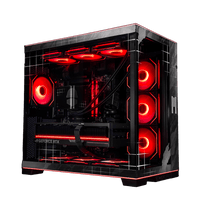






For years the answer to "what OS should my gaming PC run" was easy. Windows or nothing. That isn't necessarily the default answer anymore. SteamOS 3.8 hit generic desktop hardware in June, real benchmark testing shows it matches or beats Windows 11 in a lot of modern games, and the OS itself is free while Windows 11 keeps getting heavier. There is a catch worth understanding before you spend money on either one, and it's what Zack digs into in the video below. Here is what we have been seeing at the shop running both, when SteamOS is the smart pick, and when Windows 11 is still the right call.
Quick reference: SteamOS vs Windows 11
| Category | SteamOS | Windows 11 |
|---|---|---|
| Base OS cost | Free | $30 to $139 depending on OEM vs retail |
| Top 100 game compatibility | Around 80% via Proton | Nearly all games natively |
| Anti-cheat games (Fortnite, Valorant, BF6, CoD) | Limited to none | Full support |
| Native NVIDIA support | Not yet available | Full |
| AMD Radeon support | Excellent (Mesa drivers) | Excellent (Adrenalin drivers) |
| Upscaling tech | FSR | FSR, DLSS, XeSS |
| Non-gaming software | Linux apps only | Universal |
| System overhead and boot time | Low | Higher |
| Learning curve | Higher | Lower |
What actually changed with SteamOS in 2026
For most of the last decade, SteamOS was something that ran on the Steam Deck and nowhere else that mattered for building a gaming PC. That changed in June. Valve released SteamOS 3.8 stable on June 18, and by June 23 the Steam Machine FAQ confirmed official support for generic desktop hardware provided the GPU is from AMD. The 2026 Steam Machine launched on June 29 running the same OS. Meanwhile Proton compatibility for the top 100 Steam games has been sitting around 80 percent based on ProtonDB tracking.
What that means practically is that buying a gaming PC in 2026 is now a real choice between two operating systems, not a Windows-by-default decision. Ars Technica's testing on the Legion Go S found recent games generally run at higher frame rates on SteamOS 3.7 than on Windows 11, with SteamOS winning four of five titles tested. On the desktop side, YouTube channel ETA Prime tested an all-AMD system in Cyberpunk 2077 at 4K Ultra and Notebookcheck reported effectively tied results at 84 vs 85 fps. On the Steam Machine itself, ETA Prime saw SteamOS ahead in Cyberpunk at 1080p, at 74 fps versus Windows 11 at 68 fps.
The catch, and this is the one Zack calls out in the video, is that all of this assumes your library plays well with Proton. Anti-cheat games are still a hard block. That is what Windows 11 still owns, and it is why we ship both.
Where SteamOS actually wins for gaming
There are three real wins if you go with SteamOS.
It costs less. A Windows 11 license runs anywhere from $30 for OEM copies up to $139 for retail Home, and it adds that cost to every build. SteamOS is free, and that is real money you can put toward more RAM or a better GPU. Given how much memory prices have climbed this year, that matters more than usual.
It runs leaner. Windows 11 keeps adding features you did not ask for, background services that eat CPU and RAM, and update behavior that likes to interrupt whatever you are doing. SteamOS was built for gaming and only gaming. Boot times are shorter, memory overhead is lower, and third-party testing consistently shows better frame pacing on SteamOS across the same hardware. That last one matters more than raw framerate for how a game actually feels when you play it.
It matches or beats Windows in most modern AAA titles that Proton supports well. That is a real reversal from where things stood even three years ago. AMD's Mesa driver stack is mature at this point, and Proton has been optimized to the point where the DirectX-to-Vulkan translation overhead is negligible for most titles. Cyberpunk 2077, Shadow of the Tomb Raider, Horizon Zero Dawn Remastered, and most Unreal Engine 5 titles land anywhere from tied to a slight SteamOS win. Ray tracing on AMD hardware sometimes favors Windows depending on the game, though the gap is narrowing with recent driver updates.
Where Windows 11 still holds ground
The Windows case is really about three things worth being honest about.
Anti-cheat compatibility is the big one. Fortnite, Valorant, Call of Duty, Battlefield 6, Destiny 2, and most other competitive multiplayer titles use kernel-level anti-cheat systems that do not work under Proton. Valve has been working on this for years, but the current reality is that if your library skews toward live-service shooters and competitive multiplayer, SteamOS locks you out of most of them.
DLSS support is the second issue. NVIDIA's upscaling technology is the best in class right now, especially DLSS 4 with Multi-Frame Generation on RTX 5000 series cards. SteamOS does not run those NVIDIA drivers natively yet. AMD's FSR 4 has closed most of the quality gap and works on all cards, but if you already own an NVIDIA GPU or specifically want DLSS support, Windows is the only path.
Non-Steam software is the last piece. Battle.net launcher, Epic Games Store, Xbox Game Pass, Riot Client for Valorant, most peripheral configuration software, and video editing tools you use alongside gaming are all Windows-first. SteamOS handles Steam and Steam only well. Everything else needs workarounds or does not work at all.
For a lot of gamers, especially those playing across multiple launchers or needing the PC to do work as well as games, Windows is still the right call.
Why SteamOS builds are all-AMD right now
Something we mention in every SteamOS build conversation at the shop: native NVIDIA support on SteamOS is still in development. Valve is actively working on it, but until it ships in the stable release, NVIDIA cards on SteamOS have driver limitations that AMD and Intel cards do not. Frame times are less consistent, some games have compatibility issues that do not exist on AMD hardware, and the experience overall is not what you would expect from a $1,500 GPU.
That is why every SteamOS system we build is all-AMD. Radeon RX 7600 in the entry tier, RX 9070 GRE in the mid tier, RX 9070 XT in the flagship. Paired with Ryzen CPUs on AM5 for current gen, or a Ryzen 7 7800X3D on the top tier because it is still one of the best gaming chips AMD has ever shipped and it works cleanly with SteamOS.
If you want NVIDIA specifically for DLSS 4 or CUDA support in creative work, you should be on Windows 11. That is not us being negative on Valve. That is just what is real right now.
What we ship at the shop
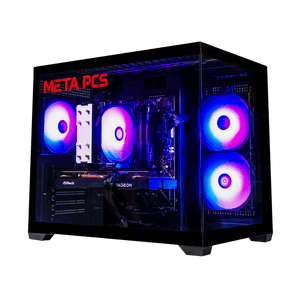
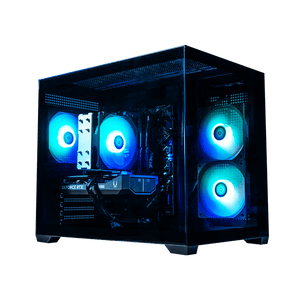
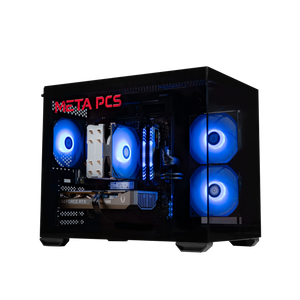
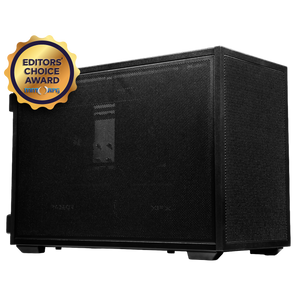
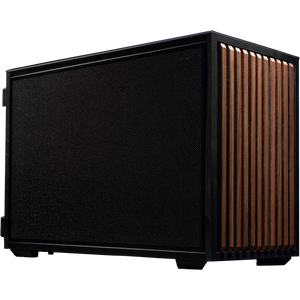
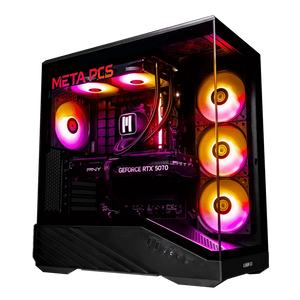
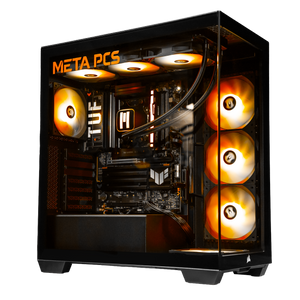
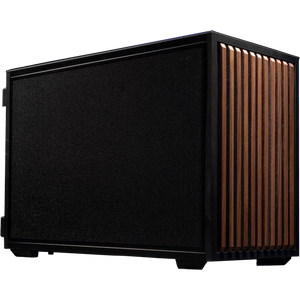
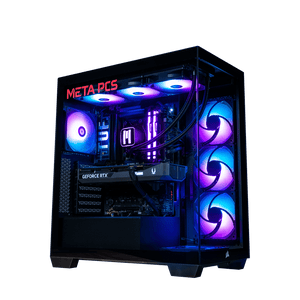
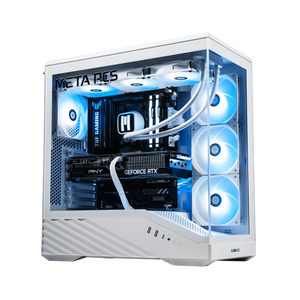
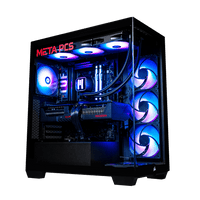
We build three SteamOS systems ready to go, all in the Lian Li B4 chassis with standard ATX parts so upgrades are simple, and all backed by lifetime US-based support. Full lineup is on our SteamOS builds page.
The Steamroller v3 is the entry option at $1,299. RX 7600, Ryzen 5 9600X, 16GB DDR5, 1TB NVMe. It is built for high-settings 1080p gaming and does it without breaking the budget. This is the SteamOS pick for someone whose library is Steam-heavy and who does not play the anti-cheat competitive titles that Proton cannot handle.
The Dozer v2 moves up to 1440p high-refresh at $1,749. RX 9070 GRE, Ryzen 5 9600X, 16GB DDR5, 2TB NVMe. This is the tier where SteamOS starts making the strongest economic case, because the OS savings alone can move toward the better GPU.
The Killdozer v2 is the flagship at $2,399. RX 9070 XT, Ryzen 7 7800X3D, 32GB DDR5, 2TB NVMe. This runs 1440p max settings comfortably, handles 4K in a lot of titles, and pairs with what remains one of the strongest gaming CPUs AMD has shipped on AM5. The 7800X3D specifically has excellent driver maturity across both Linux and Windows, which matters when you want a system that works cleanly on either OS.
All three ship with a 240mm META AIO and META Gold PSU as standard. Every part is upgradable, which matters because SteamOS is going to keep improving through 2027 and you want a rig that grows with it.
How to decide which OS is right for you
Simple decision tree.
If you play primarily on Steam, skew toward single-player and indie titles or Steam-native multiplayer, and want lower system overhead with better frame pacing, SteamOS is the smarter pick. You save money on the license and get a lighter gaming-first system.
If you play Fortnite, Valorant, Call of Duty, Battlefield 6, Destiny 2, or any other kernel-anti-cheat competitive shooter, use Battle.net or Xbox Game Pass or the Epic launcher regularly, need your PC for creative work that uses CUDA acceleration, or use desktop apps that are only compatible with Windows, Windows 11 is the right call.
For most buyers, the deciding factor is that first question about anti-cheat games. If you play any of those regularly, you need Windows or you need to dual-boot. Everything else follows from there.
FAQ
Does SteamOS run all my Steam games?
Around 80 percent of the top 100 Steam titles are rated Gold or better on ProtonDB, which means they run smoothly with minimal or no tweaking, per Tom's Hardware coverage. The 20 percent gap is mostly competitive multiplayer titles with strict anti-cheat requirements. Steam Deck compatibility icons on the store page are a reliable indicator for what runs on SteamOS.
Can I run Windows games on SteamOS?
Most Windows games run through Proton, which is Valve's compatibility layer that translates DirectX calls to Vulkan in real time. Performance is usually within a few percent of native Windows performance and sometimes better. The exceptions are games with kernel-level anti-cheat systems, which are a hard block right now.
Is SteamOS actually faster than Windows 11 for gaming?
In games that Proton supports well, yes, usually by 3 to 8 percent depending on the title. In the ETA Prime desktop tests, Cyberpunk 2077 at 4K Ultra on all-AMD hardware landed within one fps of Windows 11. The bigger real-world benefit is frame pacing consistency, which affects how smooth a game feels beyond just the framerate number.
Can I install SteamOS on my current PC?
If your PC has an AMD GPU and standard x86 hardware, yes. Valve released an official installer image with SteamOS 3.8 in June. NVIDIA support is still in development, so an NVIDIA GPU is a real limiting factor right now, and Intel discrete GPU support is not officially there either. Secure Boot needs to be disabled in the BIOS before installation, and Valve recommends keeping your existing OS on a separate drive as a backup in case you want to switch back.
Ready to build
Whether SteamOS or Windows 11 is the right call comes down to what you play and what else you use your PC for. If Steam is your library and you want the leanest, most gaming-focused OS available, our SteamOS builds come pre-configured and ready to game the moment they arrive. If you need Windows for anti-cheat games, streaming setups, or creative work, our ready-to-ship collection covers that too. Either way, no fighting with drivers or install issues on your end.