




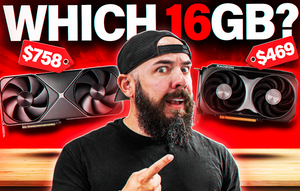
For most 1440p builders in 2026, the RX 9060 XT 16GB is the smarter buy. It runs within about 5% of the RTX 5060 Ti 16GB across a broad game slate at 1440p while costing around $300 less at current street prices, thanks to the 5060 Ti trading well above MSRP most of the year. Ray tracing is where NVIDIA still earns its premium, so if Cyberpunk 2077 or Alan Wake 2 with path tracing on is the reason you're building, the 5060 Ti is worth it. Everyone else, save the three hundred bucks.
If you're shopping for a 1440p GPU in the $450 to $800 range, these are the two cards on most shortlists. They target the same buyer, both ship with 16GB of VRAM (the amount 1440p ultra needs to live comfortably in 2026), and they land close enough in raster performance that the choice comes down to price and feature set. AMD leads on price at retail right now by a wide margin, while NVIDIA takes the lead on ray tracing, DLSS 4 Multi Frame Generation, and anything that leans on CUDA like streaming, local AI, or creative apps. Which one belongs in your build depends on what you plan to run on it.
The short answer
The 5060 Ti wins the raw benchmark battle. The 9060 XT wins the dollar-per-frame battle by a wide margin. For a raster-first 1440p build with esports, MMOs, and most AAA singleplayer in the rotation, the AMD card is the pick. For a build that leans on ray tracing, streams to Twitch or YouTube, or runs local AI work, the NVIDIA card earns the price premium. Both cards want 16GB (skip the 8GB variants at 1440p) and pair well with a modern AM5 or LGA1851 CPU.
1440p raster performance is closer than you'd think
Across a 10-game average at 1440p, benchmark coverage from TechPowerUp's GPU database, Tom's Hardware, and Hardware Unboxed puts the RTX 5060 Ti 16GB around 142 FPS and the RX 9060 XT 16GB near 134 FPS. That's about a 5% NVIDIA lead on paper, which is real but not something most players will notice during gameplay unless they're staring at a frame counter. At 1080p the gap shrinks to roughly 3%, and at 4K neither card is really the right pick, so we'd steer you toward a 5070 Ti or higher for that resolution.
The averages hide title-by-title swings worth flagging. Games that lean heavily on shader throughput, like Stellar Blade, tip toward NVIDIA by 20 to 30%. Bandwidth-friendly titles like Microsoft Flight Simulator 2024 flip the other way and hand AMD a similar lead. So if the one game you play most often is on either of those lists, that's a data point worth weighing. For the broad mix, the two cards trade blows and the average lands close to parity.
The 1% lows tell a similar story. Both cards hold their frame times together at 1440p ultra with the full 16GB VRAM buffer in play. This is not true of the 8GB versions, which we cover below.
1440p performance breakdown
Here's how the two cards stack up on average across a broad game slate at 1440p, based on 2026 benchmark data:
- RTX 5060 Ti 16GB averages around 142 FPS
- RX 9060 XT 16GB averages around 134 FPS
- That's roughly a 5% NVIDIA advantage on paper
- Individual titles swing 15 to 30% either direction depending on engine
- Both cards hold clean 1% lows at 1440p ultra with the full 16GB VRAM buffer
Ray tracing is where NVIDIA earns the premium
AMD closed a lot of ground on ray tracing with RDNA 4, and the RX 9060 XT is playable in ray-traced games in a way that RDNA 2 cards never were. The RTX 5060 Ti still runs ahead by a meaningful margin once you flip RT on, though. At 1440p with upscaling in Cyberpunk 2077, the 5060 Ti sits about 14% faster. Push into full path tracing in Alan Wake 2 and that gap widens past 25%. The 9060 XT holds around 75 FPS average in demanding RT scenarios, which is fine for the current crop of games, but the NVIDIA card gives you more headroom for the next generation of path-traced titles without dropping to a low upscaling preset.
How much this matters depends on your library. If your rotation is mostly esports (Valorant, CS2, Marvel Rivals, Fortnite in Performance mode) plus the occasional AAA singleplayer, ray tracing barely enters the conversation and AMD's raster-per-dollar wins clean. If Cyberpunk 2077 with RT Overdrive or Alan Wake 2 with path tracing is the reason you're building a new PC in the first place, NVIDIA is the correct answer even at the price premium.
DLSS 4 vs FSR 4 in 2026
FSR 4 closed the image quality gap in a real way. It launched with the Radeon RX 9070 series in March 2025 and pulled AMD's upscaling into the same visual conversation as DLSS. Side-by-side Quality mode footage at 1440p is hard to tell apart in motion without pausing and zooming. If you're playing normally instead of scrutinizing frames, you probably won't notice which upscaler is running. That's a big shift from the FSR 2 and 3 era, when NVIDIA's advantage was obvious even to casual players.
DLSS 4 still leads on two fronts that matter. Latency with frame generation is noticeably lower on the NVIDIA side, which esports players and anyone sensitive to input lag will feel. And Multi Frame Generation, which stacks additional interpolated frames beyond the standard 2X, is NVIDIA-only. In a game that supports it, you can turn a native 60 FPS baseline into something like 200+ FPS output for a high refresh monitor. Visual artifacts at 4X are minimal, and the latency floor is set by your native frames, which makes it a strong feature for singleplayer games where you want smoothness without dropping settings.
FSR 4 doesn't have an equivalent to MFG yet. If your monitor is 120Hz or 144Hz, this probably doesn't matter much because 60 FPS native plus 2X frame gen already saturates that panel. On a 240Hz or 360Hz monitor, MFG becomes more compelling.
Power and PSU sizing
On paper the RX 9060 XT 16GB rates at 160W TBP and the RTX 5060 Ti sits at 180W TGP, so AMD is the more efficient pick on the spec sheet. Real-world draw in gaming loads tends to land close to those ratings for both cards. A quality 650W 80+ Gold PSU handles either GPU alongside a modern Ryzen 7 or Core Ultra chip without breaking a sweat. If you're upgrading a build with an older 550W unit, you're probably still fine on the 9060 XT and want to check headroom on the 5060 Ti under transient spikes.
Heat and noise scale with power draw, so both cards want at least three case fans and reasonable airflow. Neither one is a thermal problem in a well-built chassis. If your current build is a mid-tower with front intake and top or rear exhaust already sorted, you're good on either GPU.
Why we're only comparing the 16GB versions
Both cards exist in 8GB and 16GB flavors, and the 8GB versions are not the right buy at 1440p in 2026. Modern AAA games at 1440p ultra push past 8GB regularly, and the penalty for running out is not graceful. Some titles crash into single-digit 1% lows when they hit the VRAM ceiling, which turns a smooth game into a stuttering slideshow. Cyberpunk 2077, Hogwarts Legacy, Ratchet & Clank Rift Apart, and The Last of Us Part I are all documented offenders at 1440p ultra per ongoing testing coverage from Hardware Unboxed and Tom's Hardware.
The 16GB models cost around $60 to $80 more than the 8GB versions and buy you meaningful longevity. Everything else in your build is likely a multi-year commitment, so saving $60 on the one component that determines whether you'll need to upgrade again in 18 months doesn't pencil out. Go 16GB whichever brand you pick.
This is why our SHADE v3 and Phantom v4 configurations use the 16GB variants. The math doesn't work at 1440p in 2026, and we'd rather ship builds that hold up for four years than shave $80 off the sticker.
Who each card is for
Get the RX 9060 XT 16GB if:
- You mostly play raster-heavy titles at 1440p (esports, competitive shooters, MMOs, most singleplayer AAA without RT)
- Your budget is tight and the saved $300 goes toward a better monitor, more RAM, or a nicer case
- You're already on a FreeSync display or a monitor without G-Sync compatibility
- Content creation, hardware-encoded streaming, and local AI work aren't part of the picture
Get the RTX 5060 Ti 16GB if:
- Ray tracing matters to you (Cyberpunk 2077, Alan Wake 2, upcoming path-traced titles)
- You want DLSS 4 Multi Frame Generation for a high refresh monitor
- You stream and want NVENC (still the gold standard for OBS quality per bitrate)
- You run local AI (Ollama, Stable Diffusion) or use CUDA in creative software (Premiere, DaVinci Resolve, Blender)
- You're on a G-Sync monitor and want the full compatibility story
Where these cards live in our lineup
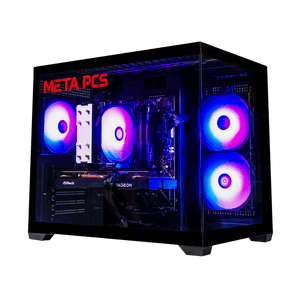
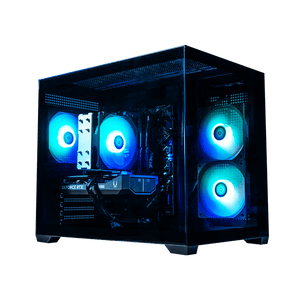
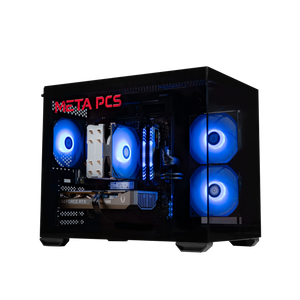
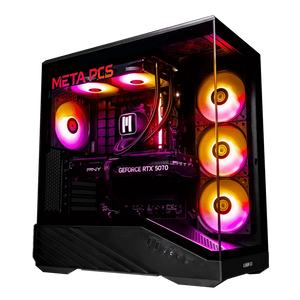
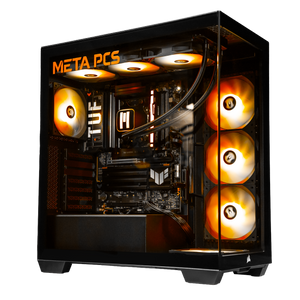
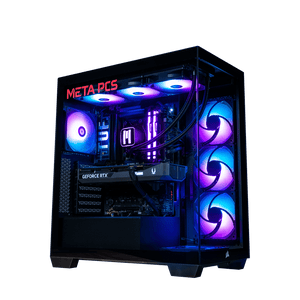
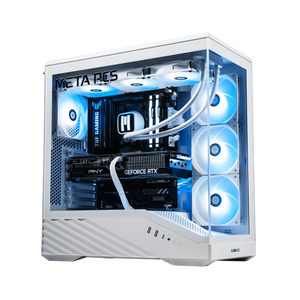
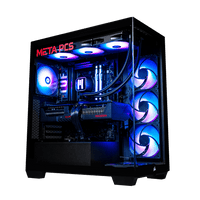
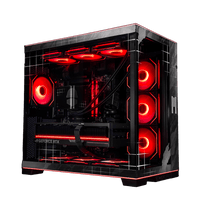
The SHADE v3 ships with the RX 9060 XT 16GB and is our go-to for the value-focused 1440p builder. It's the recommendation for someone who just wants to play at 1440p high or ultra without stressing about ray tracing or streaming overhead. The Phantom v4 pairs the RTX 5060 Ti 16GB with a Ryzen 7 chip for the buyer who wants the full NVIDIA feature set without stepping up to 5070 Ti pricing. Both come tuned so you can plug in a monitor and start playing at 1440p on day one, and both support 32GB DDR5 kits at checkout if you want to stretch to that spec (which we recommend for 2026 builds).
If you'd rather build it yourself, the 5060 Ti and 9060 XT are drop-in fits for any modern AM5 or LGA1851 board. A Ryzen 5 9600X or Ryzen 7 7800X3D on AM5, or a Core Ultra 5 245K or Core Ultra 7 265K on Intel, all pair well without bottlenecking either GPU at 1440p. The 7800X3D is still the sweet spot for pure gaming pairing in September 2026 even with the 9800X3D and 9850X3D available at higher price points. Skip the 16GB RAM temptation if you're building fresh: 32GB is the new floor, especially with everything happening in the RAM market this year.
FAQ
Is the RX 9060 XT 16GB good for 1440p gaming in 2026?
Yes. It averages around 134 FPS across a broad game slate at 1440p ultra and holds clean 1% lows thanks to the 16GB VRAM buffer. For raster-heavy games it's within about 5% of the RTX 5060 Ti 16GB while costing roughly $300 less at street prices, which makes it the value pick for most 1440p builds. Our 1440p buying guide has the full context on what else to pair it with.
Does the RTX 5060 Ti 16GB beat the RX 9060 XT 16GB?
In raw benchmarks, yes: about 5% in raster and 14 to 25% in ray tracing depending on the title. The AMD card costs around $300 less at street prices, so the value winner depends on whether you use ray tracing, DLSS 4 Multi Frame Generation, or CUDA-based apps. If you don't, save the money. If you do, the NVIDIA card is worth the premium.
Is 16GB of VRAM enough for 1440p gaming?
16GB is the floor for 1440p ultra in modern AAA games and should hold up through 2029 or so based on how VRAM demand has scaled generation over generation. 8GB is not enough at 1440p ultra now, and some titles will crash into single-digit 1% lows when they run out. Buy the 16GB variant of either card.
Should I get the 8GB or 16GB version of these cards?
The 16GB is the right buy. The price gap is around $60 to $80 and the longevity difference is significant. The 8GB versions of both cards are already stuttering in Cyberpunk 2077, Hogwarts Legacy, and Ratchet & Clank at 1440p ultra. If your only option is an 8GB card and you're stuck at 1080p by budget, that's a workable path, but at 1440p the 16GB is a non-negotiable.
Which card is better for Fortnite, Valorant, and other esports?
For pure esports at 1440p, the RX 9060 XT wins on value because these titles are raster-heavy and both cards will push hundreds of frames anyway. Fortnite in Performance Mode, Valorant, CS2, and Overwatch 2 all run at 200+ FPS on either GPU. The 9060 XT gets you there for less money. If you also play a singleplayer game with ray tracing on the side, the calculus shifts toward the 5060 Ti. Our Free FPS Boost settings guide covers the driver and Windows tweaks that add frames on either card without spending a dollar.
What CPU should I pair with either card?
At 1440p, both cards pair well with a Ryzen 5 9600X, Ryzen 7 7800X3D, Ryzen 7 9700X, Core Ultra 5 245K, or Core Ultra 7 265K. Neither GPU will bottleneck on any of these, and the 1% lows benefit noticeably from the X3D chips in CPU-limited games like FFXIV or WoW. The 7800X3D is the sweet-spot pairing in September 2026 for pure gaming, with the 9800X3D and 9850X3D available at higher price points if you want the newest silicon. If Battlefield 6 is in your rotation, our BF6 best settings guide covers the exact tuning that hits 144 FPS on either card at 1440p.
Does the RX 9060 XT support DLSS?
No. DLSS is NVIDIA-exclusive. The AMD equivalent is FSR 4, which is supported by the 9060 XT and looks very close to DLSS 4 Quality at 1440p in most games. If you specifically want DLSS or Multi Frame Generation, you need an RTX card. Also worth reading our DisplayPort vs HDMI for gaming guide when you're picking a cable to run with either card at high refresh.
Ready to Build?
The SHADE v3 ships with the RX 9060 XT 16GB and is tuned for the 1440p player who wants to plug in and play. The Phantom v4 pairs the RTX 5060 Ti 16GB with a Ryzen 7 chip and a 750W Gold PSU as the baseline for the buyer leaning NVIDIA for ray tracing or content work. Every META PCs system ships tested and on lifetime US-based support, so if anything hiccups down the road, we've got you covered.
Not sure which one fits your library and budget? Reach out through the chat on metapcs.com and we'll help you match a build to what you play. We ship nationwide from our Arizona shop, and we'll walk you through the config on the phone if that's easier.