




A streaming PC in 2026 is a different build than it was even three years ago. Modern GPUs have long encoded your stream on a dedicated chip separate from your gaming performance, but the quality of that encoder has improved enough in recent years that single-PC streaming is more viable than it's ever been. The graphics card is rarely what holds a single-PC stream back. What actually bottlenecks the stream is your RAM, your upload speed, and your CPU core count. Get those right and a mid-range machine games and streams at once without breaking a sweat.
What to look for in a streaming PC by tier
| Tier | GPU (encoder) | RAM | CPU | What it handles |
|---|---|---|---|---|
| Getting started | RTX 5060 or RX 9060 XT (AV1) | 16GB min, 32GB better | 6-core (Ryzen 5, Core Ultra 5) | 1080p stream while gaming, single PC |
| Full-time | RTX 5060 Ti or 5070 Ti (NVENC + AV1) | 32GB | 8-core (Ryzen 7, Core Ultra 7) | 1080p60 to 1440p, multi-resolution output, no FPS compromise |
| Pro and creator | RTX 5080 or 5090 | 32GB to 64GB | 8 to 16-core X3D | 1440p to 4K stream plus editing and VOD work alongside |
Why the GPU is rarely your streaming bottleneck
Every modern gaming GPU has a dedicated video encoder built into the silicon, separate from the cores that render your game. NVIDIA calls theirs NVENC, and AMD and Intel have their own. When you stream, that encoder handles the heavy lifting of compressing your video, and because it's a separate block, it barely taxes the part of the card running your game.
NVENC is still the quality reference most streamers benchmark against, and the newer AV1 codec pushes efficiency further. As NVIDIA and Twitch have detailed, AV1 encoding on RTX 40 and 50 series cards is roughly 40 percent more efficient than the older H.264 standard, which means a sharper stream at the same bitrate or the same quality at a lower one. AMD's RX 7000 and 9000 series and Intel's Arc cards handle AV1 too.
When we set up single-PC streaming builds in the shop, turning on hardware encoding costs a handful of frames, not the 30 to 40 percent that software x264 encoding used to eat. Hardware encoding is why single-PC streaming replaced the two-PC rig for everyone but broadcast pros.
What actually bottlenecks your stream
If the GPU encoder is basically free, the real limits sit elsewhere. RAM is where most single-PC streamers hit a wall first, and it's the one that catches people off guard.
A modern AAA game already wants up to 16GB or more just for itself at higher settings. Stack OBS, Discord, a browser with your Twitch dashboard, and Windows on top and you're looking at another 8 to 10GB before you've said a word to chat. On a 16GB rig the OS starts swapping to your SSD to keep up, and both your framerate and stream quality take the hit. On our own 16GB test builds, Cyberpunk drops roughly 12 percent once OBS and Discord are running alongside it. We break the full RAM math down here.
That matters more in 2026 than it used to, because a 32GB DDR5 kit that ran under $120 a year ago now runs $400 or more thanks to the ongoing memory shortage. Buying 32GB up front still beats going back for more at even higher prices in six months, but it's a real line item now, not a rounding error.
Your upload speed is the bottleneck that has nothing to do with your PC. A 1080p60 stream wants around 6 to 8 Mbps of stable upload, and Twitch's newer Enhanced Broadcasting can push higher bitrates and multiple resolutions at once if your connection can feed it, with roughly 12 Mbps recommended and 20 or more for 1440p dual-format output.
The CPU only has to run the game, OBS itself, and your background apps, since the encoder handles compression. A modern 6-core like the Ryzen 5 9600X manages that fine for most single-PC streams. Where 8 cores or more start earning their keep is if you run software x264 encoding for maximum quality, capture and edit at the same time, or juggle a heavy scene with a lot of sources.
Picking the GPU: NVENC, AV1, and what Twitch supports now
The brand does matter a little for streaming, mostly on encode quality and software support. NVIDIA's NVENC still has the edge there. AMD's encoder closed most of that gap with RDNA 4, and both camps support AV1. Even entry cards like the Intel Arc B580 and AMD RX 9060 XT do AV1 encoding, which we get into in our budget GPU comparison. The GPU you pick should come down to the resolution and framerate you want in your games, because the encoder handles the stream either way.
It helps to know what the platforms actually accept right now, since that shapes what your encoder buys you. Twitch's Enhanced Broadcasting, built on NVIDIA's NVENC encoder, brought multi-resolution output to streamers, and as of mid-2026 it's generally available, with 1440p HEVC for Partners and Affiliates. AV1 on Twitch is still limited to the beta program, though YouTube and Kick already take AV1 broadly. An AV1-capable card helps you today on YouTube and Kick, and gets you ready for Twitch when they broaden AV1 out of beta.
What we ship for streaming
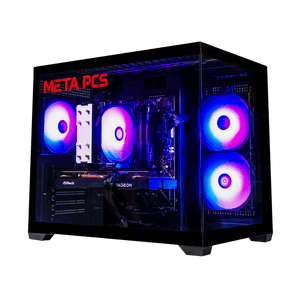
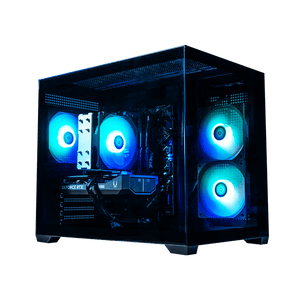
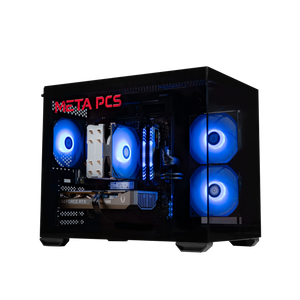
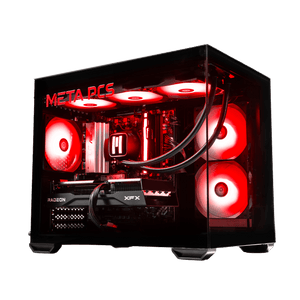
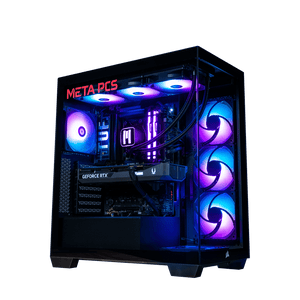
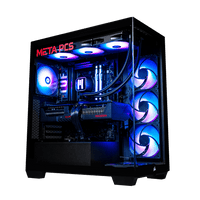
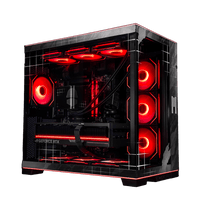
If you'd rather buy a machine that's ready to game and stream out of the box, here's how our lineup maps to it. The Phantom v4 is the entry NVIDIA pick, with the RTX 5060 Ti 16GB and a Ryzen 5 9600X, which gives you NVENC and AV1 encoding for clean 1080p streaming. It ships with 16GB of RAM. If streaming is the plan, spec it up to 32GB in the custom builder before it ships.
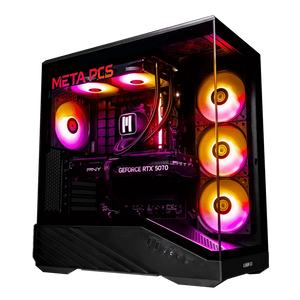
Step up to the TROOPER and you get the setup we'd actually recommend for a full-time single-PC streamer: an RTX 5070 Ti for NVENC and AV1, 32GB of DDR5-6000 already in place, and a Ryzen 7 9850X3D with the cores to handle a heavy scene or a software encode if you want one. The full range is on our ready-to-ship page.
If you're also editing, recording high-bitrate VODs, or running creator work alongside the stream, the ECHO and MAMBA32 step up to the RTX 5080 and 5090 with 32GB or more and the CPU headroom to match. Whatever tier you land on, every build ships tested and on lifetime US-based support, and our Best Prebuilt Gaming PC guide covers what to look for if you're comparing options.
FAQ
Do I need a separate PC to stream in 2026?
A single modern PC handles gaming and streaming at the same time in 2026 because hardware encoders like NVENC do the compression on a dedicated part of the GPU. Dual-PC setups still make sense for broadcast-grade production or streamers running software x264 at maximum quality, but for the vast majority a single well-specced machine is enough.
How much RAM do I need to stream and game at the same time?
You want 32GB. A modern game uses up to 16GB or more by itself, and OBS, Discord, a browser, and Windows stack another 8 to 10GB on top. On 16GB the system starts swapping to your SSD and both your framerate and stream quality suffer. Bump to 64GB only if you're also editing video or running multiple capture sources.
Is NVIDIA or AMD better for streaming?
NVIDIA if you want the best-in-class encoder and the widest software support, since NVENC is what most streaming tools tune for first. AMD if you want more raw gaming performance per dollar and are streaming to platforms where AV1 is already standard. The encode quality gap between them is small enough in 2026 that gaming performance should decide it, not the stream.
What upload speed do I need to stream?
For a stable 1080p60 stream, aim for at least 6 to 8 Mbps of upload with some headroom on top. Twitch's Enhanced Broadcasting recommends around 12 Mbps to take advantage of multi-resolution output, and 20 or more for 1440p.
Ready to build
The GPU is rarely what holds a stream back in 2026. Spec 32GB of RAM, confirm your upload speed, and pick a CPU with a little core headroom. The GPU's encoder does the streaming work it was built for.
If you'd rather skip the spec sheet, our ready-to-ship builds cover every streaming tier from the Phantom v4 up, and our custom PC builder lets you dial in exactly the RAM and GPU your stream needs.